Condition modules
If-then, comparisons, case distinction: the modules the bot uses to make decisions.
Condition modules branch the flow: depending on the result it continues at one output or the other. They work with values from data modules and perception modules — such as {Read text (OCR).zahl} or {Counter.wert}.
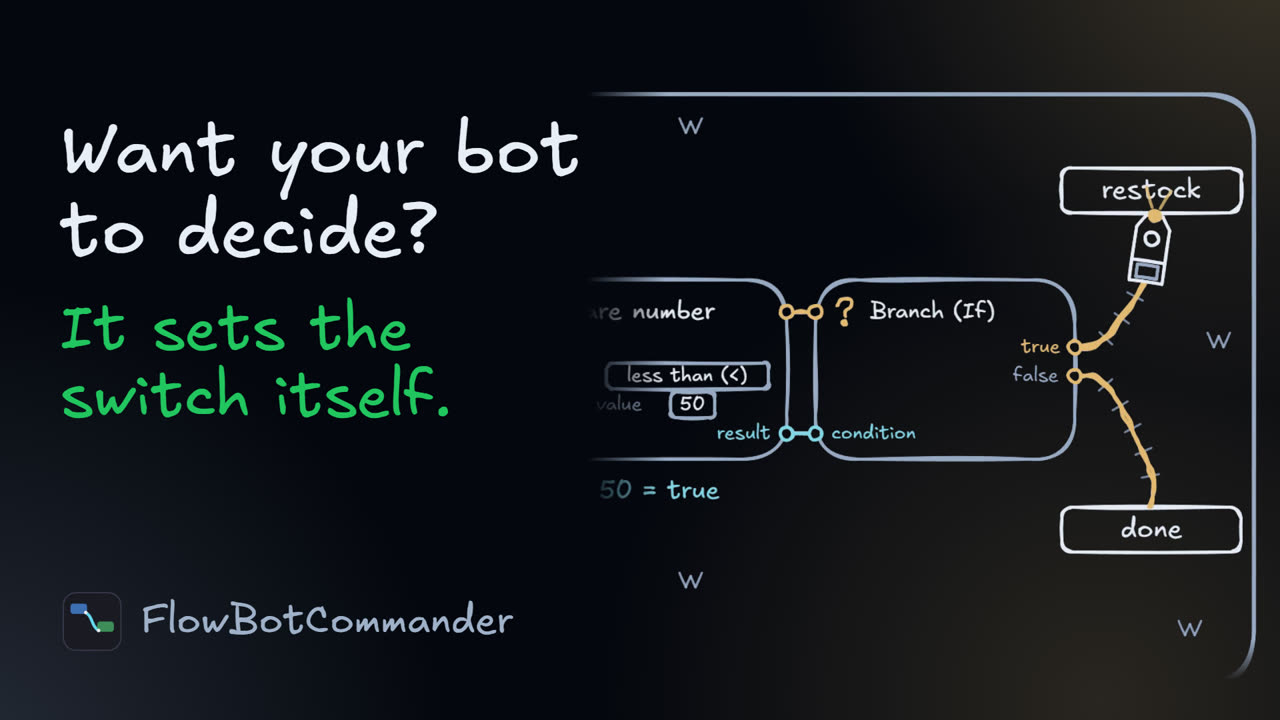 Play video1:24
Which one when?
| You want to … | Module |
|---|---|
| if yes → A, else → B | Branch (If) |
| compare a number with a threshold | Compare number |
| check whether a text contains a word | Check text |
| check a text against a pattern (number, time, "A or B") | Check text in Regular expression mode — guide: RegEx made simple |
| distinguish several cases (menu 1, 2, 3 …) | Case distinction (Case/Default) |
| branch on number ranges (below 20 / below 50 / rest) | Value switch in mode Compare numbers — see below |
| combine two conditions | Logic gate (AND/OR) |
| quickly check whether something is visible, without waiting | Visible? (image/color/text) |
| find a specific cell in a matrix (e.g. the orange button) | Find cell |
| detect Connect-Four style lines — or the gap to win/block | Find line |
| notice whether something on the board changed | Matrix change |
Branching on number ranges
The value switch normally compares text. Set it to mode Compare numbers and each case field holds a comparison instead of a fixed value:
| Notation | matches when … |
|---|---|
>80 |
the value is above 80 |
>=95 |
the value is 95 or more |
<20 |
the value is below 20 |
20..50 |
the value is between 20 and 50 (both bounds count) |
!=0 |
the value is not 0 |
Cases are checked top to bottom, the first match wins. For a health bar that means: <20 in the first case (alarm), <50 in the second (top up), >=50 in the third (all good).
You can also write the comparison out in full and use a reference: 80<{Read bar.percent}. By the time it is checked the reference is long since a number, so what gets compared is 80<73. Arithmetic works too: >{limit}*2.
A case field without a comparison sign is still checked as text. So you can mix — case 1 >80, case 2 empty.
All modules of this category
🔀 Case distinction (Case/Default) Free
Checks several cases in order (each case color, image OR text) and branches on the FIRST match to 'fallK', otherwise to 'default'. Only enabled, filled cases count. Data x,y = match position, fall = number.
Inputs: in (flow) · Outputs: fall1 (flow), fall2 (flow), fall3 (flow), fall4 (flow), fall5 (flow), fall6 (flow), default (flow), x, y, fall
| Field | Type | Default | Meaning |
|---|---|---|---|
| Window title | Window | — | Title (or part) of the window to capture fresh. Example: Notepad |
| Relative to anchor | Yes/No | off | On = the search regions of every case are shifted by the last anchor found via 'Find anchor (image)'. Run 'Find anchor' before this node so the regions follow a moving HUD. Off = regions are image-relative as entered. |
| Anchor | Anchor | — | Which named anchor to use. The list shows the anchors declared in this workflow. Empty = the anchor that ran last (behaviour of older profiles). Only visible if Relative to anchor = on. |
| Scale-tolerant | Yes/No | off | Also searches the template at several sizes (about 0.8x–1.2x). Makes matching robust against a different resolution / UI scale / monitor, but is a bit slower. |
| Grayscale | Yes/No | off | Compares in grayscale — more robust against lighting/color differences. |
| Number of cases | Integer (1–50) | 6 |
How many cases exist — this also drives the number of 'caseK' outputs on the node. Use the + Case / − Case buttons in the properties panel to add or remove one. Use ▲▼ to reorder which case is checked first. |
| Case 1 active | Yes/No | on | Include case 1 in the check. Off = case 1 is skipped (output 'fall1' stays unused). Only visible if Number of cases ≥ 1. |
| Case 1: label | Text | — | Free label just for you (to tell cases apart) — no effect on the check. Example: Red warningOnly visible if Case 1 active = on and Number of cases ≥ 1. |
| Case 1: check for | Choice: Color, Image, Text | Color | What this case is checked with. Color — A color (± tolerance) occurs in the area. Image — A template image is visible in the area. Text — A text is readable in the area. Only visible if Case 1 active = on and Number of cases ≥ 1. |
| Case 1: search value | Text | — | Depending on type: color as HEX (#RRGGBB, eyedropper), template image path (File/Capture) or search text. Empty = case is skipped. Example: #20C0C0Only visible if Case 1 active = on and Number of cases ≥ 1. |
| Case 1: tolerance | Integer (0–128) | 12 |
Only for type Color: allowed deviation per channel (0–128). Only visible if Case 1 active = on and Number of cases ≥ 1. |
| Case 1: similarity | Number (0.5–1) | 0.95 |
Only for type Image: minimum similarity (0.95 = 95%). Only visible if Case 1 active = on and Number of cases ≥ 1. |
| Case 1: area X | Integer (px) | 0 |
Left edge of the check area. 0/0/0/0 = whole source. Only visible if Case 1 active = on and Number of cases ≥ 1. |
| Case 1: area Y | Integer (px) | 0 |
Top edge of the check area. Only visible if Case 1 active = on and Number of cases ≥ 1. |
| Case 1: width | Integer (px) | 0 |
Width. 0 = to the right edge. Only visible if Case 1 active = on and Number of cases ≥ 1. |
| Case 1: height | Integer (px) | 0 |
Height. 0 = to the bottom edge. Only visible if Case 1 active = on and Number of cases ≥ 1. |
| Case 2 active | Yes/No | on | Include case 2 in the check. Off = case 2 is skipped (output 'fall2' stays unused). Only visible if Number of cases ≥ 2. |
| Case 2: label | Text | — | Free label just for you (to tell cases apart) — no effect on the check. Example: Red warningOnly visible if Case 2 active = on and Number of cases ≥ 2. |
| Case 2: check for | Choice: Color, Image, Text | Color | What this case is checked with. Color — A color (± tolerance) occurs in the area. Image — A template image is visible in the area. Text — A text is readable in the area. Only visible if Case 2 active = on and Number of cases ≥ 2. |
| Case 2: search value | Text | — | Depending on type: color as HEX (#RRGGBB, eyedropper), template image path (File/Capture) or search text. Empty = case is skipped. Example: #20C0C0Only visible if Case 2 active = on and Number of cases ≥ 2. |
| Case 2: tolerance | Integer (0–128) | 12 |
Only for type Color: allowed deviation per channel (0–128). Only visible if Case 2 active = on and Number of cases ≥ 2. |
| Case 2: similarity | Number (0.5–1) | 0.95 |
Only for type Image: minimum similarity (0.95 = 95%). Only visible if Case 2 active = on and Number of cases ≥ 2. |
| Case 2: area X | Integer (px) | 0 |
Left edge of the check area. 0/0/0/0 = whole source. Only visible if Case 2 active = on and Number of cases ≥ 2. |
| Case 2: area Y | Integer (px) | 0 |
Top edge of the check area. Only visible if Case 2 active = on and Number of cases ≥ 2. |
| Case 2: width | Integer (px) | 0 |
Width. 0 = to the right edge. Only visible if Case 2 active = on and Number of cases ≥ 2. |
| Case 2: height | Integer (px) | 0 |
Height. 0 = to the bottom edge. Only visible if Case 2 active = on and Number of cases ≥ 2. |
| Case 3 active | Yes/No | off | Include case 3 in the check. Off = case 3 is skipped (output 'fall3' stays unused). Only visible if Number of cases ≥ 3. |
| Case 3: label | Text | — | Free label just for you (to tell cases apart) — no effect on the check. Example: Red warningOnly visible if Case 3 active = on and Number of cases ≥ 3. |
| Case 3: check for | Choice: Color, Image, Text | Color | What this case is checked with. Color — A color (± tolerance) occurs in the area. Image — A template image is visible in the area. Text — A text is readable in the area. Only visible if Case 3 active = on and Number of cases ≥ 3. |
| Case 3: search value | Text | — | Depending on type: color as HEX (#RRGGBB, eyedropper), template image path (File/Capture) or search text. Empty = case is skipped. Example: #20C0C0Only visible if Case 3 active = on and Number of cases ≥ 3. |
| Case 3: tolerance | Integer (0–128) | 12 |
Only for type Color: allowed deviation per channel (0–128). Only visible if Case 3 active = on and Number of cases ≥ 3. |
| Case 3: similarity | Number (0.5–1) | 0.95 |
Only for type Image: minimum similarity (0.95 = 95%). Only visible if Case 3 active = on and Number of cases ≥ 3. |
| Case 3: area X | Integer (px) | 0 |
Left edge of the check area. 0/0/0/0 = whole source. Only visible if Case 3 active = on and Number of cases ≥ 3. |
| Case 3: area Y | Integer (px) | 0 |
Top edge of the check area. Only visible if Case 3 active = on and Number of cases ≥ 3. |
| Case 3: width | Integer (px) | 0 |
Width. 0 = to the right edge. Only visible if Case 3 active = on and Number of cases ≥ 3. |
| Case 3: height | Integer (px) | 0 |
Height. 0 = to the bottom edge. Only visible if Case 3 active = on and Number of cases ≥ 3. |
| Case 4 active | Yes/No | off | Include case 4 in the check. Off = case 4 is skipped (output 'fall4' stays unused). Only visible if Number of cases ≥ 4. |
| Case 4: label | Text | — | Free label just for you (to tell cases apart) — no effect on the check. Example: Red warningOnly visible if Case 4 active = on and Number of cases ≥ 4. |
| Case 4: check for | Choice: Color, Image, Text | Color | What this case is checked with. Color — A color (± tolerance) occurs in the area. Image — A template image is visible in the area. Text — A text is readable in the area. Only visible if Case 4 active = on and Number of cases ≥ 4. |
| Case 4: search value | Text | — | Depending on type: color as HEX (#RRGGBB, eyedropper), template image path (File/Capture) or search text. Empty = case is skipped. Example: #20C0C0Only visible if Case 4 active = on and Number of cases ≥ 4. |
| Case 4: tolerance | Integer (0–128) | 12 |
Only for type Color: allowed deviation per channel (0–128). Only visible if Case 4 active = on and Number of cases ≥ 4. |
| Case 4: similarity | Number (0.5–1) | 0.95 |
Only for type Image: minimum similarity (0.95 = 95%). Only visible if Case 4 active = on and Number of cases ≥ 4. |
| Case 4: area X | Integer (px) | 0 |
Left edge of the check area. 0/0/0/0 = whole source. Only visible if Case 4 active = on and Number of cases ≥ 4. |
| Case 4: area Y | Integer (px) | 0 |
Top edge of the check area. Only visible if Case 4 active = on and Number of cases ≥ 4. |
| Case 4: width | Integer (px) | 0 |
Width. 0 = to the right edge. Only visible if Case 4 active = on and Number of cases ≥ 4. |
| Case 4: height | Integer (px) | 0 |
Height. 0 = to the bottom edge. Only visible if Case 4 active = on and Number of cases ≥ 4. |
| Case 5 active | Yes/No | off | Include case 5 in the check. Off = case 5 is skipped (output 'fall5' stays unused). Only visible if Number of cases ≥ 5. |
| Case 5: label | Text | — | Free label just for you (to tell cases apart) — no effect on the check. Example: Red warningOnly visible if Case 5 active = on and Number of cases ≥ 5. |
| Case 5: check for | Choice: Color, Image, Text | Color | What this case is checked with. Color — A color (± tolerance) occurs in the area. Image — A template image is visible in the area. Text — A text is readable in the area. Only visible if Case 5 active = on and Number of cases ≥ 5. |
| Case 5: search value | Text | — | Depending on type: color as HEX (#RRGGBB, eyedropper), template image path (File/Capture) or search text. Empty = case is skipped. Example: #20C0C0Only visible if Case 5 active = on and Number of cases ≥ 5. |
| Case 5: tolerance | Integer (0–128) | 12 |
Only for type Color: allowed deviation per channel (0–128). Only visible if Case 5 active = on and Number of cases ≥ 5. |
| Case 5: similarity | Number (0.5–1) | 0.95 |
Only for type Image: minimum similarity (0.95 = 95%). Only visible if Case 5 active = on and Number of cases ≥ 5. |
| Case 5: area X | Integer (px) | 0 |
Left edge of the check area. 0/0/0/0 = whole source. Only visible if Case 5 active = on and Number of cases ≥ 5. |
| Case 5: area Y | Integer (px) | 0 |
Top edge of the check area. Only visible if Case 5 active = on and Number of cases ≥ 5. |
| Case 5: width | Integer (px) | 0 |
Width. 0 = to the right edge. Only visible if Case 5 active = on and Number of cases ≥ 5. |
| Case 5: height | Integer (px) | 0 |
Height. 0 = to the bottom edge. Only visible if Case 5 active = on and Number of cases ≥ 5. |
| Case 6 active | Yes/No | off | Include case 6 in the check. Off = case 6 is skipped (output 'fall6' stays unused). Only visible if Number of cases ≥ 6. |
| Case 6: label | Text | — | Free label just for you (to tell cases apart) — no effect on the check. Example: Red warningOnly visible if Case 6 active = on and Number of cases ≥ 6. |
| Case 6: check for | Choice: Color, Image, Text | Color | What this case is checked with. Color — A color (± tolerance) occurs in the area. Image — A template image is visible in the area. Text — A text is readable in the area. Only visible if Case 6 active = on and Number of cases ≥ 6. |
| Case 6: search value | Text | — | Depending on type: color as HEX (#RRGGBB, eyedropper), template image path (File/Capture) or search text. Empty = case is skipped. Example: #20C0C0Only visible if Case 6 active = on and Number of cases ≥ 6. |
| Case 6: tolerance | Integer (0–128) | 12 |
Only for type Color: allowed deviation per channel (0–128). Only visible if Case 6 active = on and Number of cases ≥ 6. |
| Case 6: similarity | Number (0.5–1) | 0.95 |
Only for type Image: minimum similarity (0.95 = 95%). Only visible if Case 6 active = on and Number of cases ≥ 6. |
| Case 6: area X | Integer (px) | 0 |
Left edge of the check area. 0/0/0/0 = whole source. Only visible if Case 6 active = on and Number of cases ≥ 6. |
| Case 6: area Y | Integer (px) | 0 |
Top edge of the check area. Only visible if Case 6 active = on and Number of cases ≥ 6. |
| Case 6: width | Integer (px) | 0 |
Width. 0 = to the right edge. Only visible if Case 6 active = on and Number of cases ≥ 6. |
| Case 6: height | Integer (px) | 0 |
Height. 0 = to the bottom edge. Only visible if Case 6 active = on and Number of cases ≥ 6. |
🚫 Not (NOT) Free
Inverts the truth value: result = not a.
Inputs: in (flow), a · Outputs: next (flow), result
👀 Visible? (image/color/text) Free
Checks whether an image, a color, or text is visible in the captured window. Outputs ja/nein + data 'gefunden' (bool). Ideal as a loop condition: route the 'ja' output through your actions back to this node. 'nein' ends the loop.
Inputs: in (flow), suchtext · Outputs: ja (flow), nein (flow), found
| Field | Type | Default | Meaning |
|---|---|---|---|
| Check for | Choice: Image, Color, Text | Image | What is checked. Image — A template image is visible. Color — A color occurs in the region. Text — Text is readable in the region. |
| Template image | File | — | PNG template whose presence is checked. Only visible if Check for = „Image“. |
| Similarity | Number (0.5–1) | 0.95 |
Minimum similarity (0.95 = 95%). Only visible if Check for = „Image“. |
| Color | Colour | #FFFFFF |
Color to find (HEX). Only visible if Check for = „Color“. |
| Tolerance | Integer (0–128) | 12 |
Allowed deviation per channel. Only visible if Check for = „Color“. |
| Search text | Text | — | Text whose presence is checked (partial match, case-insensitive). The data input takes precedence. Only visible if Check for = „Text“. |
| Window title | Window | — | Title (or part) of the window to capture fresh. Example: Notepad |
| Region X | Integer (px) | 0 |
Region left edge. 0 = leftmost. |
| Region Y | Integer (px) | 0 |
Top edge. |
| Region width | Integer (px) | 0 |
Width. 0 = to the right edge. |
| Region height | Integer (px) | 0 |
Height. 0 = to the bottom edge. |
| Region relative to anchor | Yes/No | off | On = x/y (or center) are offsets relative to the reference point last found by 'Find anchor'. The region then moves along with the HUD. |
| Anchor | Anchor | — | Which named anchor to use. The list shows the anchors declared in this workflow. Empty = the anchor that ran last (behaviour of older profiles). Only visible if Region relative to anchor = on. |
| Scale-tolerant | Yes/No | off | Also searches the template at several sizes (about 0.8x–1.2x). Makes matching robust against a different resolution / UI scale / monitor, but is a bit slower. |
| Grayscale | Yes/No | off | Compares in grayscale — more robust against lighting/color differences. |
| Only active (bright) matches | Yes/No | off | Ignores matches that are markedly darker than the template. Typical use: your template comes from an ACTIVE button — greyed-out (unaffordable, disabled) copies of it are then skipped. Without this, image matching finds both, because it ignores brightness. Only visible if Check for = „Image“. |
| How much darker counts as inactive (%) | Number (0–100) | 8 |
How much darker than the template a match may be before it is rejected. E.g. 8 = reject a match that is more than 8% darker. Larger = more tolerant. Only visible if Only active (bright) matches = on. |
🔠 Check text Free
Check the text input against 'pattern' (mode: contains/starts/ends/equals/regex) → 'result'.
Inputs: in (flow), text · Outputs: next (flow), result
| Field | Type | Default | Meaning |
|---|---|---|---|
| Pattern | Text | — | Text or pattern to look for. In 'Regular expression' mode, a regex. Example: Level |
| Mode | Choice: contains, starts with, ends with, equals, Regular expression | contains | How the text is compared with the pattern. contains — Text contains the pattern anywhere starts with — Text starts with the pattern ends with — Text ends with the pattern equals — Text is exactly the pattern Regular expression — Advanced: pattern as regex, e.g. \d+ hits |
🔗 Logic gate (AND/OR) Free
a (op) b → result. op: and / or / xor.
Inputs: in (flow), a, b · Outputs: next (flow), result
| Field | Type | Default | Meaning |
|---|---|---|---|
| Operator | Choice: AND, OR, Either-or (XOR) | AND | How the two yes/no inputs are combined. AND — true if BOTH are true OR — true if AT LEAST ONE is true Either-or (XOR) — true if EXACTLY ONE is true |
❓ Branch (If) Free
Branches to 'true'/'false' based on a condition — and also outputs the decision as the value 'ergebnis'.
Inputs: in (flow), condition · Outputs: true (flow), false (flow), ergebnis
🧭 Value switch Free
Branches by the text at the data input 'wert' (e.g. the 'zustand' output of the Button state node) to 'fall1'..'fallN' or 'default'. Each case has a comparison value (exact or contains, case-insensitive). This lets you branch the result of a detection (button state, OCR, variable) several ways.
Inputs: in (flow), value · Outputs: fall1 (flow), fall2 (flow), fall3 (flow), fall4 (flow), default (flow), fall
| Field | Type | Default | Meaning |
|---|---|---|---|
| Number of cases | Integer (1–50) | 4 |
How many branches (fall1..fallN) the switch has. There is always an additional 'default' output for no match. |
| Comparison | Choice: Exact, Contains, Compare numbers | Exact | How the incoming value is compared to each case value. Both ignore letter case and surrounding spaces. Exact — The value must equal the case value exactly. Contains — The value must contain the case value as a substring. Compare numbers — Each case holds a comparison instead of a fixed text: „>80“, „>=95“, „<20“, or a range „20..50“. You can also write it out in full, for example „80<{Read bar.percent}“ — a reference is already a number by then. A case without a comparison is still checked for equality. |
| Case 1: value = | Text | — | If the incoming value matches this text, the flow takes the matching 'fallK' output. Leave empty to skip this case. Cases are checked top to bottom. The first match wins. Example: aktiv · >80 · 20..50 · 80<{Read bar.percent}Only visible if Number of cases ≥ 1. |
| Case 2: value = | Text | — | If the incoming value matches this text, the flow takes the matching 'fallK' output. Leave empty to skip this case. Cases are checked top to bottom. The first match wins. Example: aktiv · >80 · 20..50 · 80<{Read bar.percent}Only visible if Number of cases ≥ 2. |
| Case 3: value = | Text | — | If the incoming value matches this text, the flow takes the matching 'fallK' output. Leave empty to skip this case. Cases are checked top to bottom. The first match wins. Example: aktiv · >80 · 20..50 · 80<{Read bar.percent}Only visible if Number of cases ≥ 3. |
| Case 4: value = | Text | — | If the incoming value matches this text, the flow takes the matching 'fallK' output. Leave empty to skip this case. Cases are checked top to bottom. The first match wins. Example: aktiv · >80 · 20..50 · 80<{Read bar.percent}Only visible if Number of cases ≥ 4. |
| Case 5: value = | Text | — | If the incoming value matches this text, the flow takes the matching 'fallK' output. Leave empty to skip this case. Cases are checked top to bottom. The first match wins. Example: aktiv · >80 · 20..50 · 80<{Read bar.percent}Only visible if Number of cases ≥ 5. |
| Case 6: value = | Text | — | If the incoming value matches this text, the flow takes the matching 'fallK' output. Leave empty to skip this case. Cases are checked top to bottom. The first match wins. Example: aktiv · >80 · 20..50 · 80<{Read bar.percent}Only visible if Number of cases ≥ 6. |
| Case 7: value = | Text | — | If the incoming value matches this text, the flow takes the matching 'fallK' output. Leave empty to skip this case. Cases are checked top to bottom. The first match wins. Example: aktiv · >80 · 20..50 · 80<{Read bar.percent}Only visible if Number of cases ≥ 7. |
| Case 8: value = | Text | — | If the incoming value matches this text, the flow takes the matching 'fallK' output. Leave empty to skip this case. Cases are checked top to bottom. The first match wins. Example: aktiv · >80 · 20..50 · 80<{Read bar.percent}Only visible if Number of cases ≥ 8. |
| Case 9: value = | Text | — | If the incoming value matches this text, the flow takes the matching 'fallK' output. Leave empty to skip this case. Cases are checked top to bottom. The first match wins. Example: aktiv · >80 · 20..50 · 80<{Read bar.percent}Only visible if Number of cases ≥ 9. |
| Case 10: value = | Text | — | If the incoming value matches this text, the flow takes the matching 'fallK' output. Leave empty to skip this case. Cases are checked top to bottom. The first match wins. Example: aktiv · >80 · 20..50 · 80<{Read bar.percent}Only visible if Number of cases ≥ 10. |
| Case 11: value = | Text | — | If the incoming value matches this text, the flow takes the matching 'fallK' output. Leave empty to skip this case. Cases are checked top to bottom. The first match wins. Example: aktiv · >80 · 20..50 · 80<{Read bar.percent}Only visible if Number of cases ≥ 11. |
| Case 12: value = | Text | — | If the incoming value matches this text, the flow takes the matching 'fallK' output. Leave empty to skip this case. Cases are checked top to bottom. The first match wins. Example: aktiv · >80 · 20..50 · 80<{Read bar.percent}Only visible if Number of cases ≥ 12. |
| Case 13: value = | Text | — | If the incoming value matches this text, the flow takes the matching 'fallK' output. Leave empty to skip this case. Cases are checked top to bottom. The first match wins. Example: aktiv · >80 · 20..50 · 80<{Read bar.percent}Only visible if Number of cases ≥ 13. |
| Case 14: value = | Text | — | If the incoming value matches this text, the flow takes the matching 'fallK' output. Leave empty to skip this case. Cases are checked top to bottom. The first match wins. Example: aktiv · >80 · 20..50 · 80<{Read bar.percent}Only visible if Number of cases ≥ 14. |
| Case 15: value = | Text | — | If the incoming value matches this text, the flow takes the matching 'fallK' output. Leave empty to skip this case. Cases are checked top to bottom. The first match wins. Example: aktiv · >80 · 20..50 · 80<{Read bar.percent}Only visible if Number of cases ≥ 15. |
| Case 16: value = | Text | — | If the incoming value matches this text, the flow takes the matching 'fallK' output. Leave empty to skip this case. Cases are checked top to bottom. The first match wins. Example: aktiv · >80 · 20..50 · 80<{Read bar.percent}Only visible if Number of cases ≥ 16. |
| Case 17: value = | Text | — | If the incoming value matches this text, the flow takes the matching 'fallK' output. Leave empty to skip this case. Cases are checked top to bottom. The first match wins. Example: aktiv · >80 · 20..50 · 80<{Read bar.percent}Only visible if Number of cases ≥ 17. |
| Case 18: value = | Text | — | If the incoming value matches this text, the flow takes the matching 'fallK' output. Leave empty to skip this case. Cases are checked top to bottom. The first match wins. Example: aktiv · >80 · 20..50 · 80<{Read bar.percent}Only visible if Number of cases ≥ 18. |
| Case 19: value = | Text | — | If the incoming value matches this text, the flow takes the matching 'fallK' output. Leave empty to skip this case. Cases are checked top to bottom. The first match wins. Example: aktiv · >80 · 20..50 · 80<{Read bar.percent}Only visible if Number of cases ≥ 19. |
| Case 20: value = | Text | — | If the incoming value matches this text, the flow takes the matching 'fallK' output. Leave empty to skip this case. Cases are checked top to bottom. The first match wins. Example: aktiv · >80 · 20..50 · 80<{Read bar.percent}Only visible if Number of cases ≥ 20. |
| Case 21: value = | Text | — | If the incoming value matches this text, the flow takes the matching 'fallK' output. Leave empty to skip this case. Cases are checked top to bottom. The first match wins. Example: aktiv · >80 · 20..50 · 80<{Read bar.percent}Only visible if Number of cases ≥ 21. |
| Case 22: value = | Text | — | If the incoming value matches this text, the flow takes the matching 'fallK' output. Leave empty to skip this case. Cases are checked top to bottom. The first match wins. Example: aktiv · >80 · 20..50 · 80<{Read bar.percent}Only visible if Number of cases ≥ 22. |
| Case 23: value = | Text | — | If the incoming value matches this text, the flow takes the matching 'fallK' output. Leave empty to skip this case. Cases are checked top to bottom. The first match wins. Example: aktiv · >80 · 20..50 · 80<{Read bar.percent}Only visible if Number of cases ≥ 23. |
| Case 24: value = | Text | — | If the incoming value matches this text, the flow takes the matching 'fallK' output. Leave empty to skip this case. Cases are checked top to bottom. The first match wins. Example: aktiv · >80 · 20..50 · 80<{Read bar.percent}Only visible if Number of cases ≥ 24. |
| Case 25: value = | Text | — | If the incoming value matches this text, the flow takes the matching 'fallK' output. Leave empty to skip this case. Cases are checked top to bottom. The first match wins. Example: aktiv · >80 · 20..50 · 80<{Read bar.percent}Only visible if Number of cases ≥ 25. |
| Case 26: value = | Text | — | If the incoming value matches this text, the flow takes the matching 'fallK' output. Leave empty to skip this case. Cases are checked top to bottom. The first match wins. Example: aktiv · >80 · 20..50 · 80<{Read bar.percent}Only visible if Number of cases ≥ 26. |
| Case 27: value = | Text | — | If the incoming value matches this text, the flow takes the matching 'fallK' output. Leave empty to skip this case. Cases are checked top to bottom. The first match wins. Example: aktiv · >80 · 20..50 · 80<{Read bar.percent}Only visible if Number of cases ≥ 27. |
| Case 28: value = | Text | — | If the incoming value matches this text, the flow takes the matching 'fallK' output. Leave empty to skip this case. Cases are checked top to bottom. The first match wins. Example: aktiv · >80 · 20..50 · 80<{Read bar.percent}Only visible if Number of cases ≥ 28. |
| Case 29: value = | Text | — | If the incoming value matches this text, the flow takes the matching 'fallK' output. Leave empty to skip this case. Cases are checked top to bottom. The first match wins. Example: aktiv · >80 · 20..50 · 80<{Read bar.percent}Only visible if Number of cases ≥ 29. |
| Case 30: value = | Text | — | If the incoming value matches this text, the flow takes the matching 'fallK' output. Leave empty to skip this case. Cases are checked top to bottom. The first match wins. Example: aktiv · >80 · 20..50 · 80<{Read bar.percent}Only visible if Number of cases ≥ 30. |
| Case 31: value = | Text | — | If the incoming value matches this text, the flow takes the matching 'fallK' output. Leave empty to skip this case. Cases are checked top to bottom. The first match wins. Example: aktiv · >80 · 20..50 · 80<{Read bar.percent}Only visible if Number of cases ≥ 31. |
| Case 32: value = | Text | — | If the incoming value matches this text, the flow takes the matching 'fallK' output. Leave empty to skip this case. Cases are checked top to bottom. The first match wins. Example: aktiv · >80 · 20..50 · 80<{Read bar.percent}Only visible if Number of cases ≥ 32. |
| Case 33: value = | Text | — | If the incoming value matches this text, the flow takes the matching 'fallK' output. Leave empty to skip this case. Cases are checked top to bottom. The first match wins. Example: aktiv · >80 · 20..50 · 80<{Read bar.percent}Only visible if Number of cases ≥ 33. |
| Case 34: value = | Text | — | If the incoming value matches this text, the flow takes the matching 'fallK' output. Leave empty to skip this case. Cases are checked top to bottom. The first match wins. Example: aktiv · >80 · 20..50 · 80<{Read bar.percent}Only visible if Number of cases ≥ 34. |
| Case 35: value = | Text | — | If the incoming value matches this text, the flow takes the matching 'fallK' output. Leave empty to skip this case. Cases are checked top to bottom. The first match wins. Example: aktiv · >80 · 20..50 · 80<{Read bar.percent}Only visible if Number of cases ≥ 35. |
| Case 36: value = | Text | — | If the incoming value matches this text, the flow takes the matching 'fallK' output. Leave empty to skip this case. Cases are checked top to bottom. The first match wins. Example: aktiv · >80 · 20..50 · 80<{Read bar.percent}Only visible if Number of cases ≥ 36. |
| Case 37: value = | Text | — | If the incoming value matches this text, the flow takes the matching 'fallK' output. Leave empty to skip this case. Cases are checked top to bottom. The first match wins. Example: aktiv · >80 · 20..50 · 80<{Read bar.percent}Only visible if Number of cases ≥ 37. |
| Case 38: value = | Text | — | If the incoming value matches this text, the flow takes the matching 'fallK' output. Leave empty to skip this case. Cases are checked top to bottom. The first match wins. Example: aktiv · >80 · 20..50 · 80<{Read bar.percent}Only visible if Number of cases ≥ 38. |
| Case 39: value = | Text | — | If the incoming value matches this text, the flow takes the matching 'fallK' output. Leave empty to skip this case. Cases are checked top to bottom. The first match wins. Example: aktiv · >80 · 20..50 · 80<{Read bar.percent}Only visible if Number of cases ≥ 39. |
| Case 40: value = | Text | — | If the incoming value matches this text, the flow takes the matching 'fallK' output. Leave empty to skip this case. Cases are checked top to bottom. The first match wins. Example: aktiv · >80 · 20..50 · 80<{Read bar.percent}Only visible if Number of cases ≥ 40. |
| Case 41: value = | Text | — | If the incoming value matches this text, the flow takes the matching 'fallK' output. Leave empty to skip this case. Cases are checked top to bottom. The first match wins. Example: aktiv · >80 · 20..50 · 80<{Read bar.percent}Only visible if Number of cases ≥ 41. |
| Case 42: value = | Text | — | If the incoming value matches this text, the flow takes the matching 'fallK' output. Leave empty to skip this case. Cases are checked top to bottom. The first match wins. Example: aktiv · >80 · 20..50 · 80<{Read bar.percent}Only visible if Number of cases ≥ 42. |
| Case 43: value = | Text | — | If the incoming value matches this text, the flow takes the matching 'fallK' output. Leave empty to skip this case. Cases are checked top to bottom. The first match wins. Example: aktiv · >80 · 20..50 · 80<{Read bar.percent}Only visible if Number of cases ≥ 43. |
| Case 44: value = | Text | — | If the incoming value matches this text, the flow takes the matching 'fallK' output. Leave empty to skip this case. Cases are checked top to bottom. The first match wins. Example: aktiv · >80 · 20..50 · 80<{Read bar.percent}Only visible if Number of cases ≥ 44. |
| Case 45: value = | Text | — | If the incoming value matches this text, the flow takes the matching 'fallK' output. Leave empty to skip this case. Cases are checked top to bottom. The first match wins. Example: aktiv · >80 · 20..50 · 80<{Read bar.percent}Only visible if Number of cases ≥ 45. |
| Case 46: value = | Text | — | If the incoming value matches this text, the flow takes the matching 'fallK' output. Leave empty to skip this case. Cases are checked top to bottom. The first match wins. Example: aktiv · >80 · 20..50 · 80<{Read bar.percent}Only visible if Number of cases ≥ 46. |
| Case 47: value = | Text | — | If the incoming value matches this text, the flow takes the matching 'fallK' output. Leave empty to skip this case. Cases are checked top to bottom. The first match wins. Example: aktiv · >80 · 20..50 · 80<{Read bar.percent}Only visible if Number of cases ≥ 47. |
| Case 48: value = | Text | — | If the incoming value matches this text, the flow takes the matching 'fallK' output. Leave empty to skip this case. Cases are checked top to bottom. The first match wins. Example: aktiv · >80 · 20..50 · 80<{Read bar.percent}Only visible if Number of cases ≥ 48. |
| Case 49: value = | Text | — | If the incoming value matches this text, the flow takes the matching 'fallK' output. Leave empty to skip this case. Cases are checked top to bottom. The first match wins. Example: aktiv · >80 · 20..50 · 80<{Read bar.percent}Only visible if Number of cases ≥ 49. |
| Case 50: value = | Text | — | If the incoming value matches this text, the flow takes the matching 'fallK' output. Leave empty to skip this case. Cases are checked top to bottom. The first match wins. Example: aktiv · >80 · 20..50 · 80<{Read bar.percent}Only visible if Number of cases ≥ 50. |
🔍 Find cell Subscription
Searches a cell with a given label → found/notfound, row, column, x, y.
Inputs: in (flow), matrix · Outputs: found (flow), not found (flow), row, column, x, y, count
| Field | Type | Default | Meaning |
|---|---|---|---|
| Label to find | Text | — | The label (palette name, state or text) to look for. Several with |, e.g. MAX|x100. Example: orange |
| Which one | Choice: first, last, random | first | If several cells match: the first (top-left), the last, or a random one. |
| Case-sensitive | Yes/No | off | Off (default): 'Red' and 'red' are the same label. |
➖ Find line Subscription
Finds lines of equal labels (horizontal/vertical/diagonal), e.g. four in a row — or the gap that completes a line.
Inputs: in (flow), matrix · Outputs: found (flow), not found (flow), row, column, x, y, direction, count
| Field | Type | Default | Meaning |
|---|---|---|---|
| Label | Text | — | The label the line consists of (e.g. your colour). For 'where must I block' use the opponent's label. Example: red |
| Length | Integer (2–20) | 4 |
How many cells in a row count as a line (4 for Connect Four, 3 for match-3). |
| Directions | Choice: all, horizontal, vertical, diagonal | all | Which directions to check. |
| Gap | Integer (0–1) | 0 |
0 = complete lines only ('four in a row!'). 1 = lines missing exactly one cell — the outputs then point to that gap ('where do I win / block?'). |
| Label of empty cells | Text | — | Which label means 'empty' (e.g. 'free' from your palette). Empty field = '?'. Example: freeOnly visible if Gap = „1“. |
| Gravity (Connect Four) | Yes/No | off | A gap only counts if a piece could land there: bottom row, or the cell below is occupied. Only visible if Gap = „1“. |
| Case-sensitive | Yes/No | off | Off (default): 'Red' and 'red' are the same label. |
🔄 Matrix change Subscription
Compares the matrix with the previous pass → changed/same, count, row, column, x, y.
Inputs: in (flow), matrix · Outputs: changed (flow), same (flow), count, row, column, x, y
| Field | Type | Default | Meaning |
|---|---|---|---|
| Forget previous state | Yes/No | off | On: every pass counts as the first (never reports a change). Usually off. |
⚖ Compare number Free
Compares input 'a' with threshold 'threshold'.
Inputs: in (flow), a, b · Outputs: next (flow), result
| Field | Type | Default | Meaning |
|---|---|---|---|
| Comparison | Choice: greater than (>), greater/equal (≥), less than (<), less/equal (≤), equal (=), not equal (≠) | greater than (>) | How input 'a' is compared with the comparison value → yields true/false. greater than (>) — true if a is greater greater/equal (≥) — true if a is greater or equal less than (<) — true if a is less less/equal (≤) — true if a is less or equal equal (=) — true if both are equal not equal (≠) — true if the two differ |
| Comparison value | Number | 1 |
Value 'b' to compare against — if the 'b' data input is not connected (a connected input takes precedence). |
🗓 Time window Subscription
Checks whether the current time is inside a window — e.g. work only between 20:00 and 23:00. Windows across midnight (22:00–06:00) are handled correctly.
Inputs: in (flow) · Outputs: drin (flow), draussen (flow), drin
| Field | Type | Default | Meaning |
|---|---|---|---|
| From | Text | 20:00 |
Start of the window as HH:mm. Example: 20:00 |
| To | Text | 23:00 |
End of the window as HH:mm. Earlier than „from“ means the window runs across midnight. Example: 23:00 |