AI modules
Send an image or a question to a language model and use the answer in the flow.
AI modules send a question (optionally with a screen cut-out) to a language model — locally (Ollama, llama.cpp) or via a provider — and return the answer as text, number, yes/no, as a branch or as several named values. They are slower than image or colour checks but can judge things for which there is no template ("Is this an error dialog?").
 Play video1:55
Which one when?
| You want to … | Module |
|---|---|
| have the screen judged | Ask image (AI) |
| branch depending on what is on screen | AI decides |
| read several values in one call | Read values from image |
| have text formulated or classified | Ask LLM |
Local or provider?
For recognising things on screen a local model is enough. Tested with qwen2.5vl:7b via Ollama against real game screenshots at 3440×1474:
| Result | |
|---|---|
| pick a state from a list | correct — and equally so at 512, 1024 and 1536 px |
| read values (small type) | only correct from the cut-out — from the shrunken full window it read values from the wrong window |
| time per question | 0.2–0.6 s while the model is in memory · 15 s on the first call, because it has to be loaded first |
That load time on the first call is why the default time limit is generous. A provider model (Claude, GPT) is better on difficult images but costs per call — and images are billed by area. So both are worth having: the tight area and "remember answer".
The area matters more than the model
 Play video0:41
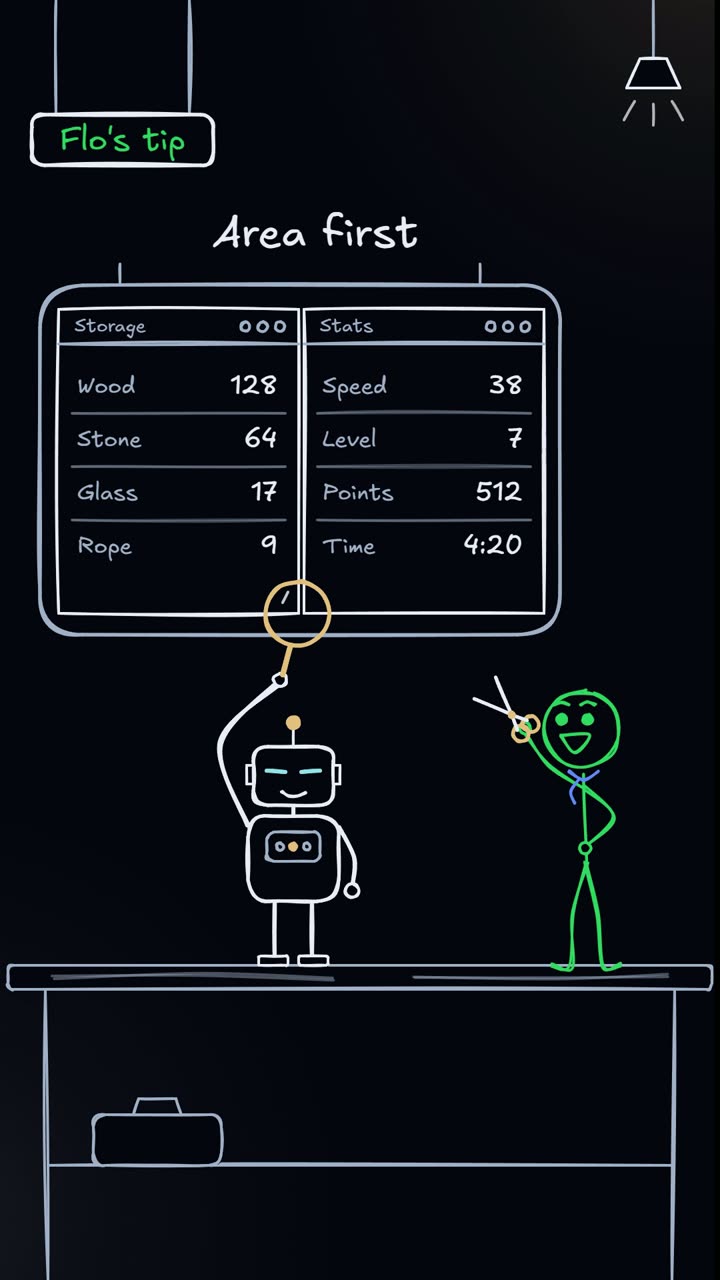
The most effective lever is not a bigger model, it is a tight area. Same image, same question:
- whole window, shrunk to 1024 px → read wrongly (values from another window), 4.4 MB unscaled
- cut-out around the values (750×385) → read correctly, 54 KB, 0.2 s
So put the area tightly around what counts. It is cheaper, faster and more accurate at the same time — three advantages rarely coincide.
All modules of this category
🤖 Ask image (AI) Subscription
Sends (a crop of) the captured window to Claude → answer 'answer'.
Inputs: in (flow) · Outputs: next (flow), fehler (flow), answer, zahl, jaNein
| Field | Type | Default | Meaning |
|---|---|---|---|
| Relative to anchor | Yes/No | off | On = the coordinates are stored as an OFFSET to the anchor found by 'Find anchor (image)'. If the interface moves, the area moves with it. Off = fixed coordinates. |
| Anchor | Anchor | — | Which named anchor to use. The list shows the anchors declared in this workflow. Empty = the anchor that ran last (behaviour of older profiles). Only visible if Relative to anchor = on. |
| Question for the image | Text (multi-line) | Wie viele Einträge stehen in der Liste? Antworte nur mit der Zahl. |
What the model should recognize/answer on the screenshot. |
| Area X | Integer (px) | 0 |
Crop of the captured window (empty/0 = whole window). A tight area saves cost. |
| Area Y | Integer (px) | 0 |
Top edge of the crop. 0 = very top. |
| Area width | Integer (px) | 0 |
Width. 0 = to the right edge. |
| Area height | Integer (px) | 0 |
Height. 0 = to the bottom edge. |
| Provider/profile | Choice: Standard, Ollama Vision Local, LocalQwenLLAMA.cpp | Standard | Which provider profile looks at the image. 'Standard' uses the default profile. Standard — Nutzt das als Standard markierte Profil (bzw. ANTHROPIC_API_KEY). |
| Model | AI model | — | Optional. Empty = default model of the selected provider profile. Only set to force a different model. (Standard des Profils) — Nutzt das im Anbieter-Profil hinterlegte Standard-Modell. Claude Opus 4.8 (klügste) — Höchste Qualität, teurer. Claude Sonnet 5 (Balance) — Guter Kompromiss aus Qualität und Preis. Claude Haiku 4.5 (schnell/günstig) — Ideal für häufige, einfache Abfragen. Claude Fable 5 (stärkste) — Anthropics stärkstes Modell, am teuersten. |
| Shrink image to | Integer (0–4096, px) | 1024 |
Longest edge of the image that gets sent. Saves real money with cloud providers (images are billed by area) and time with local models — and costs nothing in quality: no vision model works on more than roughly 1000–1500 pixels per edge anyway. 0 = send unscaled. Example: 1024 is plenty · 0 = unscaled |
| Time limit | Integer (1–600, s) | 60 |
How long to wait for an answer before this counts as a failure. Generous by default: a local vision model easily needs 10–30 seconds for an image. The panic key still stops everything immediately. |
| Attempts | Integer (1–5) | 2 |
How many times to try in total. A second attempt only happens on overload, server or network errors and on the time limit — never on a rejected request: a wrong key or an unknown model will be just as wrong the second time. |
| Remember answer for | Integer (0–3600, s) | 0 |
Reuses the answer for the same question and the same image for this long. 0 = off. Useful in a loop that asks the same thing every two seconds — that costs a hundred calls instead of one. Any change to the image counts as a new question. Example: 0 = always ask · 5 = at most once every 5 s |
🔀 AI decides Subscription Beta
Shows the AI an area of the image and lets it pick one of your options — the flow then continues at wahl1..wahlN. If it cannot tell for sure, it goes to 'unklar' instead of guessing. Not branching at all? Leave those outputs empty and use 'weiter' — the decision is still there as data (wahl, nummer), ready for a value switch. For states no template can catch: fight, menu, loading screen.
Inputs: in (flow) · Outputs: weiter (flow), unklar (flow), fehler (flow), wahl, nummer, antwort
| Field | Type | Default | Meaning |
|---|---|---|---|
| Question | Text (multi-line) | Welcher Zustand ist auf dem Bild zu sehen? |
What should be decided. Keep it short and concrete — the options below are the answer, so the question only has to say what to look at. Example: In which state is the game right now? |
| Options (one per line) | Text (multi-line) | kampf menü ladebildschirm |
One option per line — each line becomes an output (wahl1, wahl2, …). 'unklar' is added automatically and must NOT be listed here: without that escape hatch the model picks something wrong rather than holding back. The answer is checked against this list, so a model that talks around it still cannot invent an option. Example: fight menu loading screen |
| Relative to anchor | Yes/No | off | On = the coordinates are stored as an OFFSET to the anchor found by 'Find anchor (image)'. If the interface moves, the area moves with it. Off = fixed coordinates. |
| Anchor | Anchor | — | Which named anchor to use. The list shows the anchors declared in this workflow. Empty = the anchor that ran last (behaviour of older profiles). Only visible if Relative to anchor = on. |
| Area X | Integer (px) | 0 |
Left edge of the area shown to the AI, measured inside the window. Use the area tool — a tight area around what matters is both cheaper and more accurate than the whole window. |
| Area Y | Integer (px) | 0 |
Top edge of the area, measured inside the window. |
| Area width | Integer (px) | 0 |
Width of the area. 0 = up to the right edge of the window. |
| Area height | Integer (px) | 0 |
Height of the area. 0 = down to the bottom edge of the window. |
| Provider/profile | Choice: Standard, Ollama Vision Local, LocalQwenLLAMA.cpp | Standard | Which provider profile (Claude, OpenAI, local …) answers. 'Standard' uses the default profile. Standard — Nutzt das als Standard markierte Profil (bzw. ANTHROPIC_API_KEY). |
| Model | AI model | — | Optional. Empty = default model of the selected provider profile. Only set to force a different model. (Standard des Profils) — Nutzt das im Anbieter-Profil hinterlegte Standard-Modell. Claude Opus 4.8 (klügste) — Höchste Qualität, teurer. Claude Sonnet 5 (Balance) — Guter Kompromiss aus Qualität und Preis. Claude Haiku 4.5 (schnell/günstig) — Ideal für häufige, einfache Abfragen. Claude Fable 5 (stärkste) — Anthropics stärkstes Modell, am teuersten. |
| Shrink image to | Integer (0–4096, px) | 1024 |
Longest edge of the image that gets sent. Saves real money with cloud providers (images are billed by area) and time with local models — and costs nothing in quality: no vision model works on more than roughly 1000–1500 pixels per edge anyway. 0 = send unscaled. Example: 1024 is plenty · 0 = unscaled |
| Time limit | Integer (1–600, s) | 60 |
How long to wait for an answer before this counts as a failure. Generous by default: a local vision model easily needs 10–30 seconds for an image. The panic key still stops everything immediately. |
| Attempts | Integer (1–5) | 2 |
How many times to try in total. A second attempt only happens on overload, server or network errors and on the time limit — never on a rejected request: a wrong key or an unknown model will be just as wrong the second time. |
| Remember answer for | Integer (0–3600, s) | 0 |
Reuses the answer for the same question and the same image for this long. 0 = off. Useful in a loop that asks the same thing every two seconds — that costs a hundred calls instead of one. Any change to the image counts as a new question. Example: 0 = always ask · 5 = at most once every 5 s |
🔢 Read values from image Subscription Beta
Reads several values (e.g. gold, level, enemy name) from an image area in ONE AI call and puts each on a data output of the same name. One call instead of five. Tip: keep the area tight around the values — that is more accurate AND cheaper than the whole window.
Inputs: in (flow) · Outputs: next (flow), fehler (flow), json
| Field | Type | Default | Meaning |
|---|---|---|---|
| Fields (one per line) | Text (multi-line) | gold level |
One field name per line — each becomes a data output of the same name. Name them exactly as you would to a person: 'gold' is clear, 'value1' is not, and the model reads what the name suggests. Values that cannot be read stay empty. Example: gold level enemy_name |
| Extra hint (optional) | Text (multi-line) | — | Put in front of the question when the values need context — where they are, what unit they use, what to ignore. Often the difference between a correct reading and a value taken from the wrong window. Example: The numbers are in the top bar. Ignore the chat. |
| Relative to anchor | Yes/No | off | On = the coordinates are stored as an OFFSET to the anchor found by 'Find anchor (image)'. If the interface moves, the area moves with it. Off = fixed coordinates. |
| Anchor | Anchor | — | Which named anchor to use. The list shows the anchors declared in this workflow. Empty = the anchor that ran last (behaviour of older profiles). Only visible if Relative to anchor = on. |
| Area X | Integer (px) | 0 |
Left edge of the area shown to the AI, measured inside the window. Use the area tool — a tight area around what matters is both cheaper and more accurate than the whole window. |
| Area Y | Integer (px) | 0 |
Top edge of the area, measured inside the window. |
| Area width | Integer (px) | 0 |
Width of the area. 0 = up to the right edge of the window. |
| Area height | Integer (px) | 0 |
Height of the area. 0 = down to the bottom edge of the window. |
| Provider/profile | Choice: Standard, Ollama Vision Local, LocalQwenLLAMA.cpp | Standard | Which provider profile (Claude, OpenAI, local …) answers. 'Standard' uses the default profile. Standard — Nutzt das als Standard markierte Profil (bzw. ANTHROPIC_API_KEY). |
| Model | AI model | — | Optional. Empty = default model of the selected provider profile. Only set to force a different model. (Standard des Profils) — Nutzt das im Anbieter-Profil hinterlegte Standard-Modell. Claude Opus 4.8 (klügste) — Höchste Qualität, teurer. Claude Sonnet 5 (Balance) — Guter Kompromiss aus Qualität und Preis. Claude Haiku 4.5 (schnell/günstig) — Ideal für häufige, einfache Abfragen. Claude Fable 5 (stärkste) — Anthropics stärkstes Modell, am teuersten. |
| Shrink image to | Integer (0–4096, px) | 1024 |
Longest edge of the image that gets sent. Saves real money with cloud providers (images are billed by area) and time with local models — and costs nothing in quality: no vision model works on more than roughly 1000–1500 pixels per edge anyway. 0 = send unscaled. Example: 1024 is plenty · 0 = unscaled |
| Time limit | Integer (1–600, s) | 60 |
How long to wait for an answer before this counts as a failure. Generous by default: a local vision model easily needs 10–30 seconds for an image. The panic key still stops everything immediately. |
| Attempts | Integer (1–5) | 2 |
How many times to try in total. A second attempt only happens on overload, server or network errors and on the time limit — never on a rejected request: a wrong key or an unknown model will be just as wrong the second time. |
| Remember answer for | Integer (0–3600, s) | 0 |
Reuses the answer for the same question and the same image for this long. 0 = off. Useful in a loop that asks the same thing every two seconds — that costs a hundred calls instead of one. Any change to the image counts as a new question. Example: 0 = always ask · 5 = at most once every 5 s |
💬 Ask LLM Subscription
Asks Claude (text). Context via input 'text' → answer 'answer'.
Inputs: in (flow), text · Outputs: next (flow), fehler (flow), answer, zahl, jaNein
| Field | Type | Default | Meaning |
|---|---|---|---|
| Question / instruction | Text (multi-line) | — | What the model should do. The text from the data input is appended as context. Example: Is this a combat warning? Answer only YES or NO. |
| Role (system) | Text (multi-line) | Du bist ein Assistent für einen Automations-Bot. Antworte knapp und präzise. |
The model's basic stance/role — sets tone and behavior. |
| Provider/profile | Choice: Standard, Ollama Vision Local, LocalQwenLLAMA.cpp | Standard | Which provider profile (Claude, OpenAI, local …) answers. 'Standard' uses the default profile. Standard — Nutzt das als Standard markierte Profil (bzw. ANTHROPIC_API_KEY). |
| Model | AI model | — | Optional. Empty = default model of the selected provider profile. Only set to force a different model. (Standard des Profils) — Nutzt das im Anbieter-Profil hinterlegte Standard-Modell. Claude Opus 4.8 (klügste) — Höchste Qualität, teurer. Claude Sonnet 5 (Balance) — Guter Kompromiss aus Qualität und Preis. Claude Haiku 4.5 (schnell/günstig) — Ideal für häufige, einfache Abfragen. Claude Fable 5 (stärkste) — Anthropics stärkstes Modell, am teuersten. |
| Time limit | Integer (1–600, s) | 60 |
How long to wait for an answer before this counts as a failure. Generous by default: a local vision model easily needs 10–30 seconds for an image. The panic key still stops everything immediately. |
| Attempts | Integer (1–5) | 2 |
How many times to try in total. A second attempt only happens on overload, server or network errors and on the time limit — never on a rejected request: a wrong key or an unknown model will be just as wrong the second time. |
| Remember answer for | Integer (0–3600, s) | 0 |
Reuses the answer for the same question and the same image for this long. 0 = off. Useful in a loop that asks the same thing every two seconds — that costs a hundred calls instead of one. Any change to the image counts as a new question. Example: 0 = always ask · 5 = at most once every 5 s |