The first bot
From an empty editor to a running bot in five minutes — place nodes, connect, start, watch the log.
After this article you have built a bot that writes a message, beeps three times and then stops — and you know the moves every bigger bot needs.
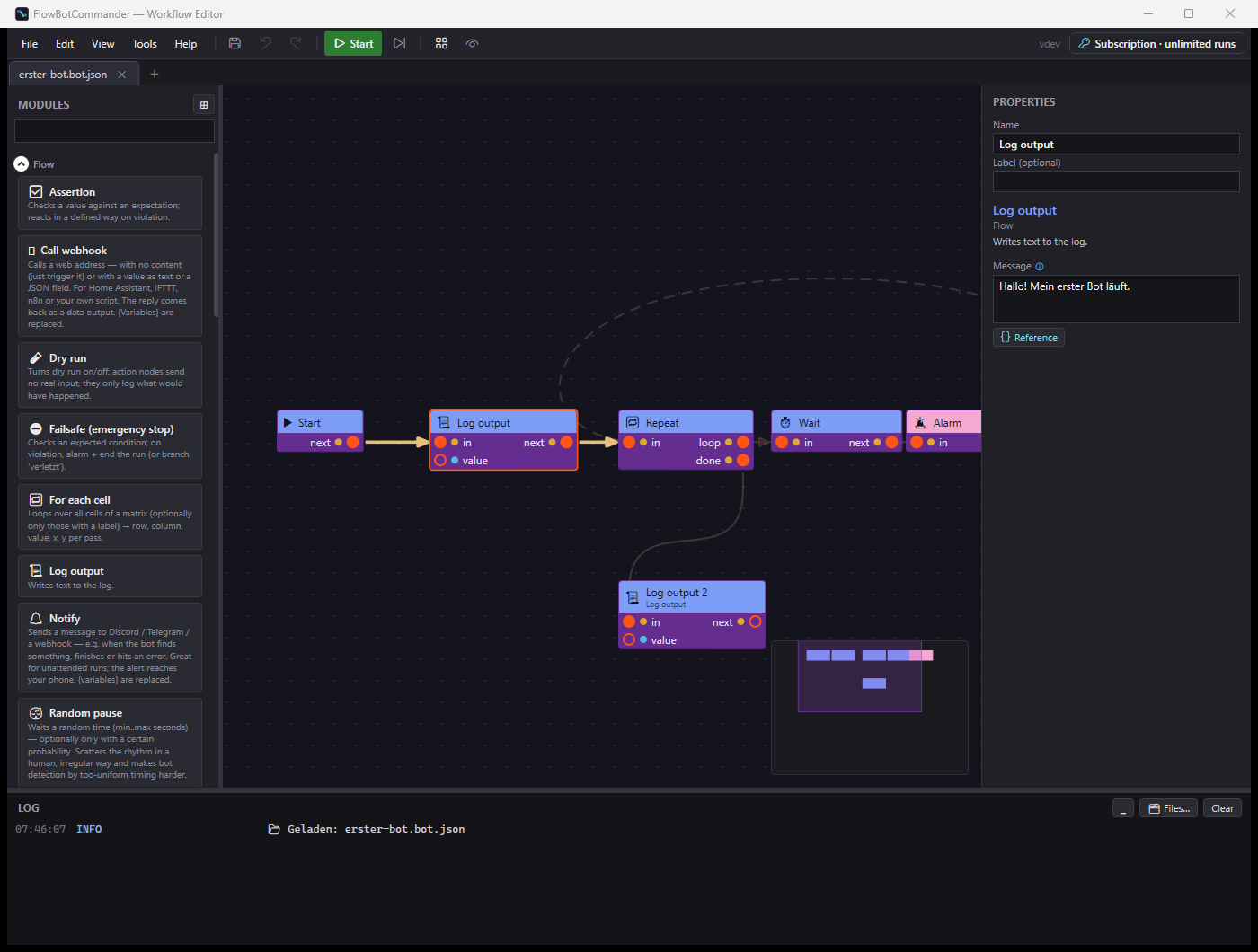
Download the example bot — or build it yourself in eight steps:
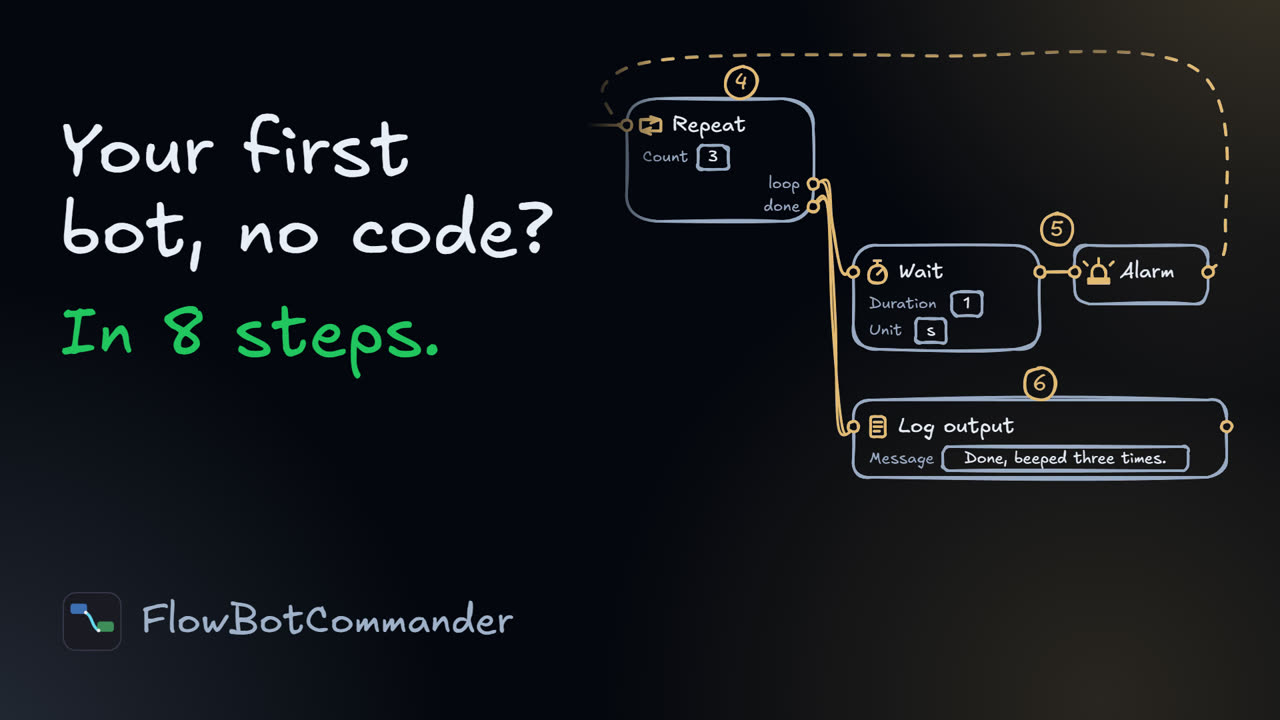 Play video3:07
Step 1 — New bot
Click the + next to the tabs or press Ctrl+N. You get an empty canvas with a single node: Start. Every bot begins here.
Step 2 — Write a message
Open the Flow category in the palette on the left and click Log output. The node appears on the canvas.
Click it: the properties panel opens on the right. Enter in the Message field:
Hello! My first bot is running.
Step 3 — Connect
With the mouse button held down, drag from the output next (right side of "Start") to the input in (left side of "Log output"). The yellow line is a flow connection: it says "this comes next".
If you drag from an output into empty space and let go, a quick menu with matching nodes opens — the new node is then already connected. This saves a lot of time in long flows.
Step 4 — Repeat
Add the Repeat node from Flow, set Count to 3 and connect "Log output → next" to its input. "Repeat"
has two outputs: loop runs once per pass, done afterwards.
Step 5 — Wait and alarm
From Flow also add Wait (duration 1, unit seconds) and from Audio the Alarm node. Connect:
Repeat loop → Wait → Alarm → back into the input of Repeat. This return is the loop — the line is drawn
dashed so you recognise it at once.
Step 6 — One last message
A second Log output with Done — beeped three times. on the done output of "Repeat".
Step 7 — Save and start
Ctrl+S saves the bot as a .bot.json file. Then Start in the header (or F5).
In the log at the bottom you see every node as it runs, and you hear the alarm three times.
Step 8 — Step by step
Start the bot again with Step (F10): now it executes exactly one node and waits. This is how you check new flows without anything unwanted happening.
What you can do now
- Take nodes from the palette and set them up in the properties panel
- Draw flow connections — also back as a loop
- Start, run step by step, read along in the log
Next: Licence and plans (what Free can do) and Safety (how to stop the bot at any time) — then continue with the Basics.
If it doesn't work
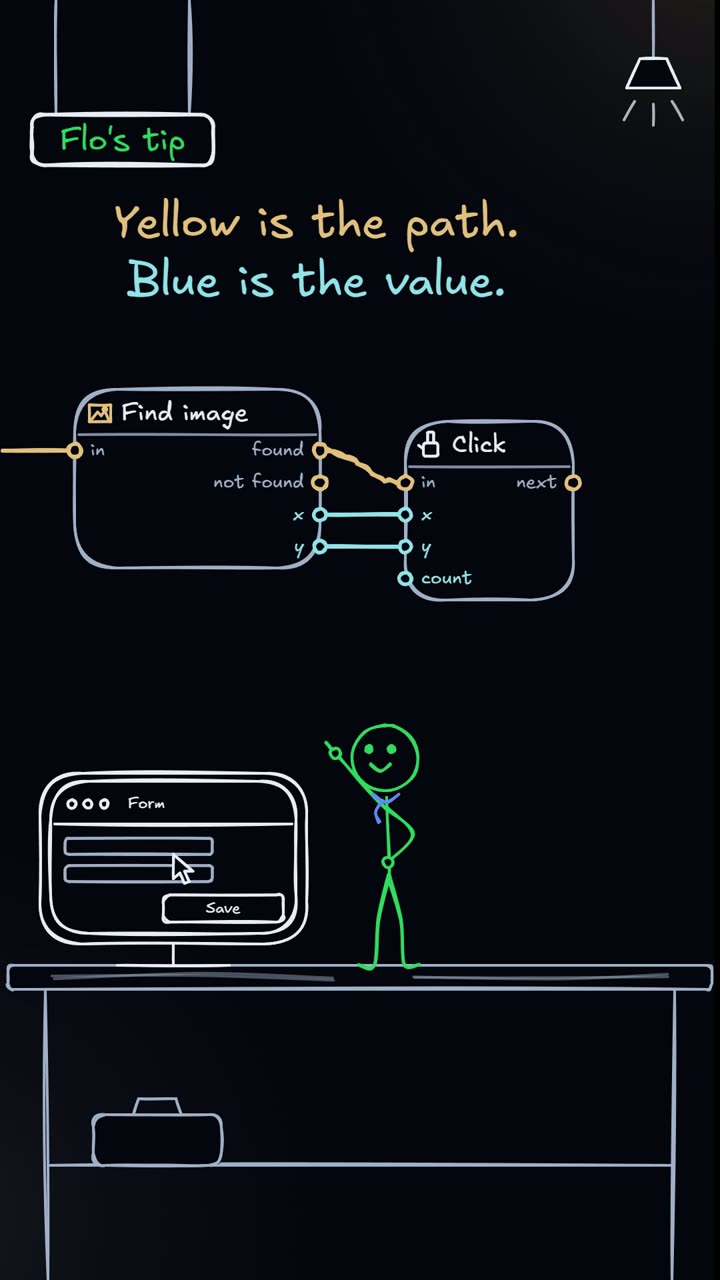 Play video0:39
- Only "Start" runs and then nothing: a connection is missing. Check that every node is attached at its in input via a yellow line — the log shows where the flow ends.
- No sound: the alarm uses the system beep. Some PCs have it switched off — use "Play sound" with your own file instead.
- Nothing happens after "Repeat": the return is missing — the output of the last node in the loop must go back into the input of "Repeat".