Flow modules
Start, wait, repeat, emergency stop: the modules that determine in which order and how often your bot does something.
Every bot begins at Start. From there the yellow flow lines lead from node to node. The flow modules set the pace: wait, repeat, abort, write to the log — and they are the place where you add safety nets to your bot (failsafe, runtime limit, safe mode).
Handing the target window to a sub-profile
A sub-profile works on the same window as its caller by itself: the target window from your Start note applies to the whole workflow, including loaded profiles — even when „share variables" is off. Inside the sub-profile you simply leave the window field of the notes empty.
The other way round: the Start note of a sub-profile sets its own target window only when none applies yet. The caller always wins. That is deliberate — otherwise a building-block profile would switch your window mid-flow.
If the sub-profile should work on a different window (a second game client, say), enter it in the field
„Target window for this profile" of the Run profile note. The field also accepts
{variable}, so the same building block can serve several clients in turn:
- Set a variable in the main profile, e.g.
client=Clicker Heroes 2. - In Run profile, put
{client}into „Target window for this profile". - Then change the variable to the next client and call the same profile again.
After the sub-profile the caller's window applies again, so the rest of your flow carries on as before.
The caller's pause and dry run apply in the sub-profile as well, see Profiles and templates.
Which one when?
 Play video1:34
| You want to … | Module |
|---|---|
| start the bot at all and set the target window once | Start |
| wait a fixed time (e.g. until a page has loaded) | Wait |
| wait for varying lengths of time, sometimes shorter, sometimes longer | Random wait / Random pause |
| run a section N times or endlessly | Repeat |
| repeat as long as a condition holds | Repeat while |
| try again after a failure | Retry on failure |
| end the run (or pause it) as soon as an expected state is missing, e.g. because the game window is gone | Failsafe (emergency stop) |
| have the bot end by itself after X minutes | Runtime limit |
| see what the bot is thinking right now | Log output |
| work through every cell of a matrix (e.g. click all free fields) | For each cell |
| call another bot as a building block | Run profile |
| end another profile that is currently running | Stop profile |
| get a message on your phone (Discord/Telegram/webhook) | Notify — store credentials once: Service credentials |
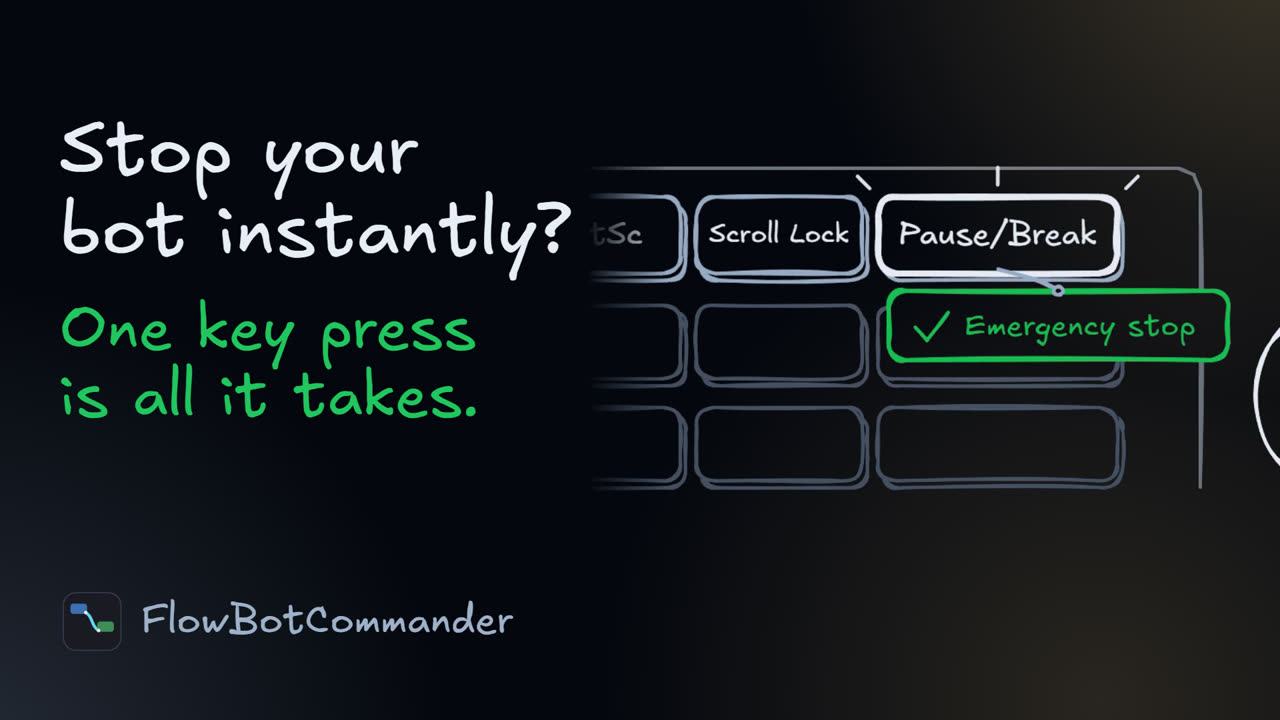
You stop any bot with a single press of the emergency-stop key Pause. You don't need a module for that, see Safety.
All modules of this category
⏱ Wait for started profiles Subscription
Waits until the profiles started side by side have finished — at the point in the flow where you need them.
Inputs: in (flow) · Outputs: next (flow), fehler (flow), fertig, fehlgeschlagen
🔔 Notify Subscription
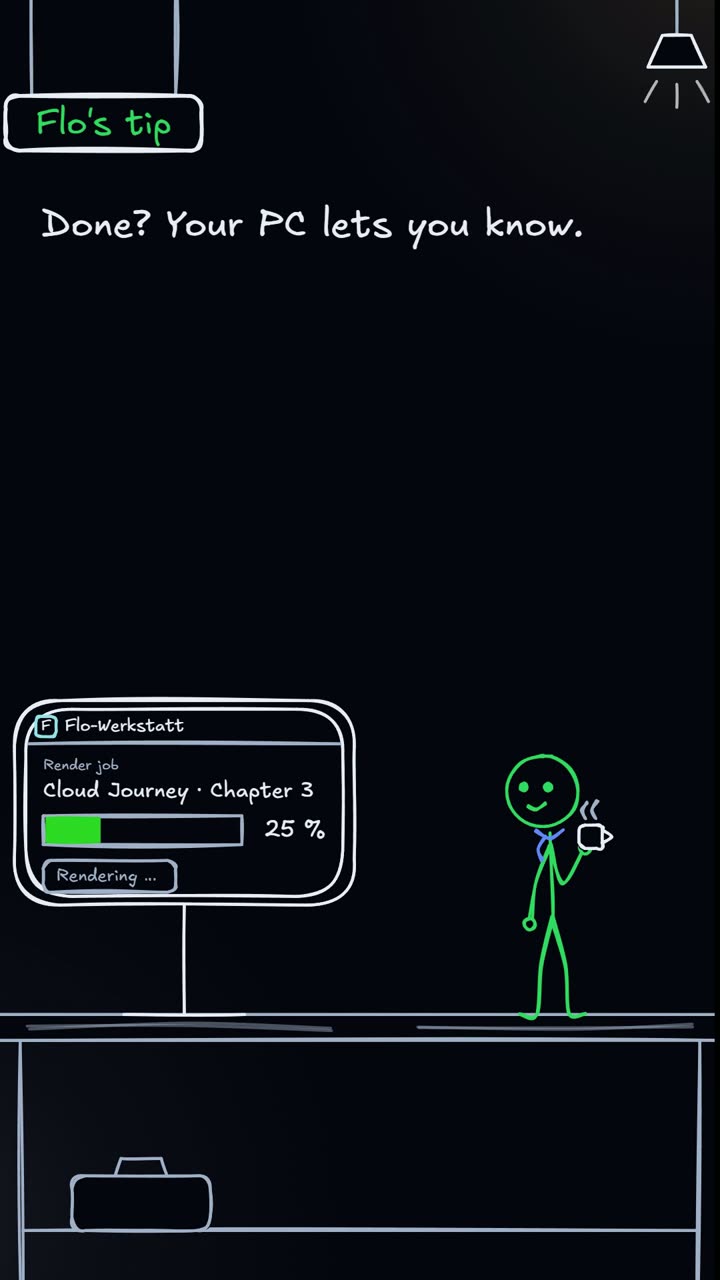
Sends a message to Discord / Telegram / a webhook — e.g. when the bot finds something, finishes or hits an error. Great for unattended runs. The alert reaches your phone. {variables} are replaced.
Inputs: in (flow), text, bild · Outputs: next (flow), fehler (flow)
| Field | Type | Default | Meaning |
|---|---|---|---|
| Service | Choice: Discord, Telegram, Webhook | Discord | Where to send the message. Discord — Send to a Discord channel via a webhook URL. Telegram — Send via a Telegram bot (bot token + chat ID). Webhook — POST to any webhook URL (Slack/Mattermost-compatible). |
| Saved account | Text | — | Pick an account saved in Tools → Service accounts… — the URL/token then comes from there and is never stored in the bot file. Leave empty to enter the details directly below. |
| Webhook URL | Text | — | The Discord/webhook URL to post to. Example: https://discord.com/api/webhooks/…Only visible if Service = „Discord“ or „Webhook“. |
| Bot token | Text | — | Telegram bot token from @BotFather. Only visible if Service = „Telegram“. |
| Chat ID | Text | — | Telegram chat/channel ID to send to. Example: 123456789Only visible if Service = „Telegram“. |
| Message | Text (multi-line) | — | The text to send. {variables} are replaced. If empty, the connected 'text' data input is used. Example: Found something! {name} |
| Send a picture too | Choice: no picture, the captured image, a file | no picture | Sends a screenshot along with the message. Telegram and Discord receive it as a real picture, not as a link. The message becomes its caption. no picture — Text only, as before. the captured image — What the bot currently sees — the window from „Capture window“ or the target window of the Start note. No file needed. a file — A saved PNG or JPG — for example the one „Save screenshot“ has just written. |
| Path to the picture | Text | — | File path. {variable} works, so „Save screenshot“ can hand its „pfad“ over directly — or connect that output to the „bild“ input, which then wins. Example: {pfad}Only visible if Send a picture too = „a file“. |
 Play video0:31
🛑 Stop bot Free
Stops the entire bot flow immediately. Optionally closes a window beforehand.
Inputs: in (flow) · Outputs: —
| Field | Type | Default | Meaning |
|---|---|---|---|
| Close window first | Window | — | Optional: title (or part) of a window to close BEFORE stopping (empty = close nothing). Example: Notepad |
| Match type | Choice: enthält, beginnt mit, endet mit, ist exakt, Regulärer Ausdruck | enthält | How the window title is compared with the pattern (as in the window nodes). enthält — Titel enthält den Text (empfohlen) beginnt mit — Titel fängt mit dem Text an endet mit — Titel hört mit dem Text auf ist exakt — Titel ist genau der Text Regulärer Ausdruck — Profi: z. B. ^Doc.*Editor$ (beginnt mit Doc UND endet mit Editor) |
⛔ Failsafe (emergency stop) Free
Checks an expected condition, on violation, alarm + end the run (or branch 'verletzt').
Inputs: in (flow), bedingung · Outputs: ok (flow), verletzt (flow)
| Field | Type | Default | Meaning |
|---|---|---|---|
| Check | Choice: Input is true, Blackboard flag is true, Window is captured | Input is true | What counts as the 'expected state'. If violated, the reaction applies. Input is true — The data input 'bedingung' must be true (e.g. from 'Find image'/compare node). Blackboard flag is true — A named blackboard flag (see 'Flag') must be true. Window is captured — A current 'capture' image must exist (previously 'Capture window'). |
| Flag name | Text | — | Name of the expected blackboard flag (true = state OK). Example: safeOnly visible if Check = „Blackboard flag is true“. |
| Reaction on violation | Choice: Emergency stop (end run), branch only, Pause run | Emergency stop (end run) | What happens when the expected state is NOT present. Emergency stop (end run) — Log an alarm and immediately end the entire bot run. branch only — Log a warning and follow the 'verletzt' branch. Pause run — Log a warning, pause the run, and follow the 'verletzt' branch. |
⏰ Runtime limit Free
Stops the bot automatically after a fixed or random time. Best placed right after 'Start'. If 'reached' is connected, the bot continues there instead (e.g. to clean up before stopping).
Inputs: in (flow) · Outputs: next (flow), reached (flow)
| Field | Type | Default | Meaning |
|---|---|---|---|
| After | Number (≥ 1) | 30 |
The bot stops after this time. With 'Random' this is the lower bound. |
| Unit | Choice: Milliseconds, Seconds, Minutes, Hours | Minutes | Time unit of the duration. Milliseconds — 1000 ms = 1 second |
| Random time | Yes/No | off | On = the bot stops after a random time between 'After' and 'until', so each run has a different length. |
| until | Number (≥ 1) | 60 |
Upper bound of the random runtime (same unit). Only visible if Random time = on. |
📜 Log output Free
Writes text to the log.
Inputs: in (flow), value · Outputs: next (flow)
| Field | Type | Default | Meaning |
|---|---|---|---|
| Message | Text (multi-line) | Text |
Text written to the log. The value from the data input is appended. Example: Price read: |
📦 Run profile Free
Loads a saved profile (*.bot.json) and runs it completely. Afterwards the flow continues here. This is how you build bots from reusable sub-bots. Panic/stop, pause and dry run also apply in the sub-profile.
Inputs: in (flow) · Outputs: next (flow), fehler (flow)
| Field | Type | Default | Meaning |
|---|---|---|---|
| Profile file | File | — | Path to a saved bot (*.bot.json). In the file dialog, switch to All files if needed. Example: C:\bots\mining.bot.json |
| Share variables | Yes/No | on | On (default) = the loaded profile uses the SAME blackboard: all variables (var:…) and the captured image are available there, changes propagate back. Off = separate, clean memory for the sub-profile. |
| Hand over values | Text (multi-line) | — | Predefine variables for the sub-profile — one 'name=value' per line. Inside the profile they are usable as {name} and via 'Read variable'. Values on the right may reference the caller's variables as {other}. Great with 'separate memory' to run the same profile with different inputs. Example: x=100 y=250 value=full |
| Target window for this profile | Window | — | Empty (default) = the sub-profile works on the same window as this flow. With an entry it works on THIS window instead — for example a second game client. This is the place to set it: the Start note inside the sub-profile deliberately leaves an already set target window alone, so the caller always wins. {variable} works here, so the window can come from a variable. Example: Clicker Heroes 2 |
| Match type for it | Choice: enthält, beginnt mit, endet mit, ist exakt, Regulärer Ausdruck | enthält | How the window title above is compared — same choices as in the Start note. enthält — Titel enthält den Text (empfohlen) beginnt mit — Titel fängt mit dem Text an endet mit — Titel hört mit dem Text auf ist exakt — Titel ist genau der Text Regulärer Ausdruck — Profi: z. B. ^Doc.*Editor$ (beginnt mit Doc UND endet mit Editor) |
🧵 Run profiles side by side Subscription
Starts several profiles side by side instead of one after another — each immediately, after a delay, or only when its condition is met. Each runs with its own variables. The target window and the start variables travel along. The caller's pause and dry run apply there too.
Inputs: in (flow), bedingung1, bedingung2 · Outputs: next (flow), fehler (flow), gestartet, fehlgeschlagen
| Field | Type | Default | Meaning |
|---|---|---|---|
| Number of profiles | Integer (1–8) | 2 |
How many slots are shown. Empty slots are simply skipped. |
| Wait for all of them | Yes/No | on | On: the flow continues once every started profile has finished. Off: it continues right away and the profiles keep running — pick them up later with „Wait for started profiles“. |
| Profile 1 | File | — | The saved profile (*.bot.json) for this slot. Leave empty to skip the slot. Only visible if Number of profiles ≥ 1. |
| Start 1 | Choice: right away, after a delay, only if the condition holds | right away | When this profile starts. right away — Starts together with the others. after a delay — Starts later — useful to stagger profiles that would otherwise fight over the same window. only if the condition holds — Starts only when the matching condition input is true — otherwise the slot is skipped. Only visible if Number of profiles ≥ 1. |
| Delay 1 | Number (≥ 0, s) | 0 |
How long this profile waits before it starts. The others are not held up. Only visible if Start 1 = „after a delay“. |
| Profile 2 | File | — | The saved profile (*.bot.json) for this slot. Leave empty to skip the slot. Only visible if Number of profiles ≥ 2. |
| Start 2 | Choice: right away, after a delay, only if the condition holds | right away | When this profile starts. right away — Starts together with the others. after a delay — Starts later — useful to stagger profiles that would otherwise fight over the same window. only if the condition holds — Starts only when the matching condition input is true — otherwise the slot is skipped. Only visible if Number of profiles ≥ 2. |
| Delay 2 | Number (≥ 0, s) | 0 |
How long this profile waits before it starts. The others are not held up. Only visible if Start 2 = „after a delay“. |
| Profile 3 | File | — | The saved profile (*.bot.json) for this slot. Leave empty to skip the slot. Only visible if Number of profiles ≥ 3. |
| Start 3 | Choice: right away, after a delay, only if the condition holds | right away | When this profile starts. right away — Starts together with the others. after a delay — Starts later — useful to stagger profiles that would otherwise fight over the same window. only if the condition holds — Starts only when the matching condition input is true — otherwise the slot is skipped. Only visible if Number of profiles ≥ 3. |
| Delay 3 | Number (≥ 0, s) | 0 |
How long this profile waits before it starts. The others are not held up. Only visible if Start 3 = „after a delay“. |
| Profile 4 | File | — | The saved profile (*.bot.json) for this slot. Leave empty to skip the slot. Only visible if Number of profiles ≥ 4. |
| Start 4 | Choice: right away, after a delay, only if the condition holds | right away | When this profile starts. right away — Starts together with the others. after a delay — Starts later — useful to stagger profiles that would otherwise fight over the same window. only if the condition holds — Starts only when the matching condition input is true — otherwise the slot is skipped. Only visible if Number of profiles ≥ 4. |
| Delay 4 | Number (≥ 0, s) | 0 |
How long this profile waits before it starts. The others are not held up. Only visible if Start 4 = „after a delay“. |
| Profile 5 | File | — | The saved profile (*.bot.json) for this slot. Leave empty to skip the slot. Only visible if Number of profiles ≥ 5. |
| Start 5 | Choice: right away, after a delay, only if the condition holds | right away | When this profile starts. right away — Starts together with the others. after a delay — Starts later — useful to stagger profiles that would otherwise fight over the same window. only if the condition holds — Starts only when the matching condition input is true — otherwise the slot is skipped. Only visible if Number of profiles ≥ 5. |
| Delay 5 | Number (≥ 0, s) | 0 |
How long this profile waits before it starts. The others are not held up. Only visible if Start 5 = „after a delay“. |
| Profile 6 | File | — | The saved profile (*.bot.json) for this slot. Leave empty to skip the slot. Only visible if Number of profiles ≥ 6. |
| Start 6 | Choice: right away, after a delay, only if the condition holds | right away | When this profile starts. right away — Starts together with the others. after a delay — Starts later — useful to stagger profiles that would otherwise fight over the same window. only if the condition holds — Starts only when the matching condition input is true — otherwise the slot is skipped. Only visible if Number of profiles ≥ 6. |
| Delay 6 | Number (≥ 0, s) | 0 |
How long this profile waits before it starts. The others are not held up. Only visible if Start 6 = „after a delay“. |
| Profile 7 | File | — | The saved profile (*.bot.json) for this slot. Leave empty to skip the slot. Only visible if Number of profiles ≥ 7. |
| Start 7 | Choice: right away, after a delay, only if the condition holds | right away | When this profile starts. right away — Starts together with the others. after a delay — Starts later — useful to stagger profiles that would otherwise fight over the same window. only if the condition holds — Starts only when the matching condition input is true — otherwise the slot is skipped. Only visible if Number of profiles ≥ 7. |
| Delay 7 | Number (≥ 0, s) | 0 |
How long this profile waits before it starts. The others are not held up. Only visible if Start 7 = „after a delay“. |
| Profile 8 | File | — | The saved profile (*.bot.json) for this slot. Leave empty to skip the slot. Only visible if Number of profiles ≥ 8. |
| Start 8 | Choice: right away, after a delay, only if the condition holds | right away | When this profile starts. right away — Starts together with the others. after a delay — Starts later — useful to stagger profiles that would otherwise fight over the same window. only if the condition holds — Starts only when the matching condition input is true — otherwise the slot is skipped. Only visible if Number of profiles ≥ 8. |
| Delay 8 | Number (≥ 0, s) | 0 |
How long this profile waits before it starts. The others are not held up. Only visible if Start 8 = „after a delay“. |
🛑 Stop profile Subscription
Ends a running profile early — one this flow started alongside, or a run in another tab of the app. Outputs gestoppt/nichts, data anzahl and namen.
Inputs: in (flow) · Outputs: gestoppt (flow), nichts (flow), count, namen
| Field | Type | Default | Meaning |
|---|---|---|---|
| Which runs | Choice: both, started alongside, other tabs | both | Where to look for the profile to stop. both — Profiles started alongside by this flow AND runs in other tabs. started alongside — Only profiles this flow started with „Run profiles at the same time“ (without waiting). other tabs — Only runs you started by hand in another tab of the app. |
| Profile name | Text | — | Part of the file name is enough („farmen“ matches „farmen.bot.json“), upper/lower case does not matter. Leave empty and switch on „all“ to stop every running profile. Example: farmen |
| All (only with an empty name) | Yes/No | off | Safety catch: with an empty name and this switch off, nothing happens at all. Only with it on does every matching run get stopped. |
| Wait until it has really ended | Yes/No | on | On = the flow continues only once the stopped profile has finished its current step. Off = continue immediately. Applies to profiles started alongside. A tab is always asked to stop without waiting. |
🛡 Safe mode Free
Turns safe mode on/off: suspicious clicks (0,0 / outside the window) are skipped.
Inputs: in (flow) · Outputs: next (flow)
| Field | Type | Default | Meaning |
|---|---|---|---|
| Safe mode | Yes/No | on | On = 'Move mouse', 'Click' (at a target point or at the current mouse position), 'Drag', 'Sweep area' (clicking and dragging) and the grab point of 'Mouse cursor' at (0,0) or outside the last captured window are skipped and logged, as a safety net against clicks in the wrong place, without guarantee. Off = normal flow. |
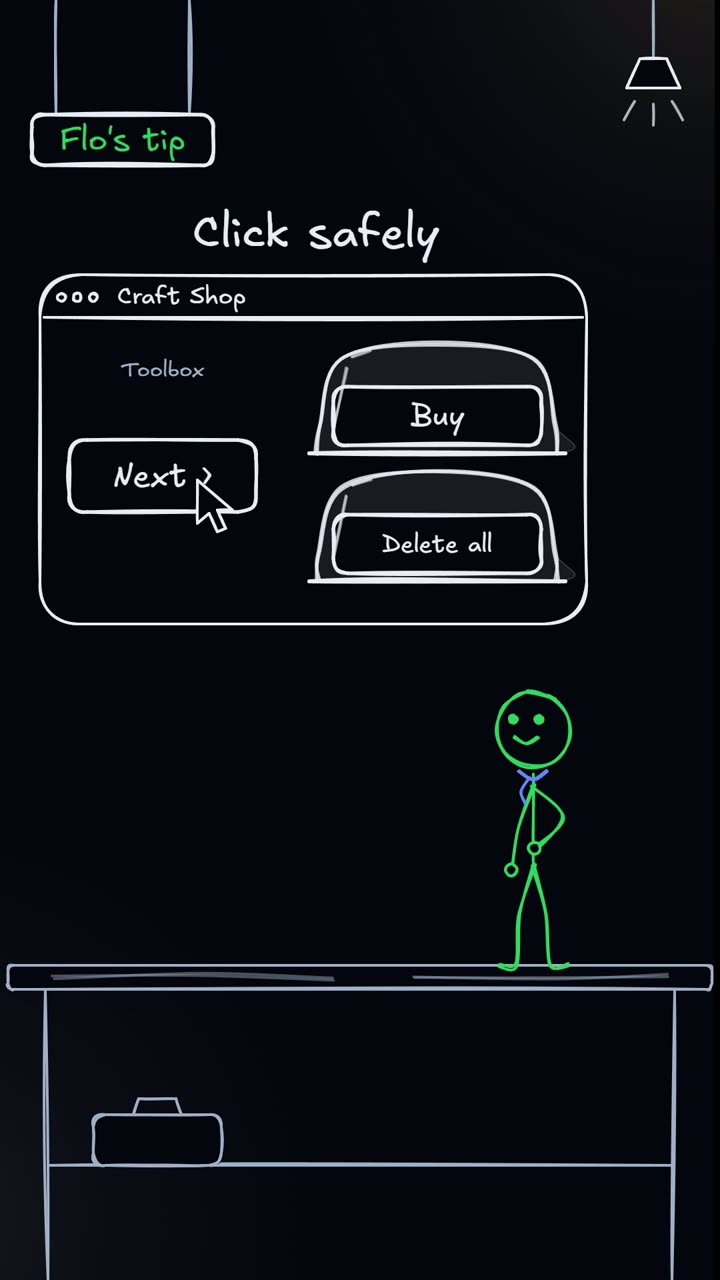
| No-click zones | Text (multi-line) | — | Rectangles that 'Move mouse', 'Click', 'Drag (A→B)' (start and end), 'Sweep area' (clicking and dragging) and 'Mouse cursor' (resize window) always leave out, one per line as x,y,width,height in screen pixels. 'Click' checks the real mouse position before every click, also without 'Move there first'. 'Region…' adds a rectangle you drag as a new line. Meant for buttons that cost money or delete things (in-game shop, account settings). They apply from this node on, even when the safe mode above is off. Such an action is dropped and logged. Example: 1180,800,220,60 # in-game shop |
 Play video0:41
▶ Start Free
Entry point of the bot.
Inputs: — · Outputs: next (flow)
| Field | Type | Default | Meaning |
|---|---|---|---|
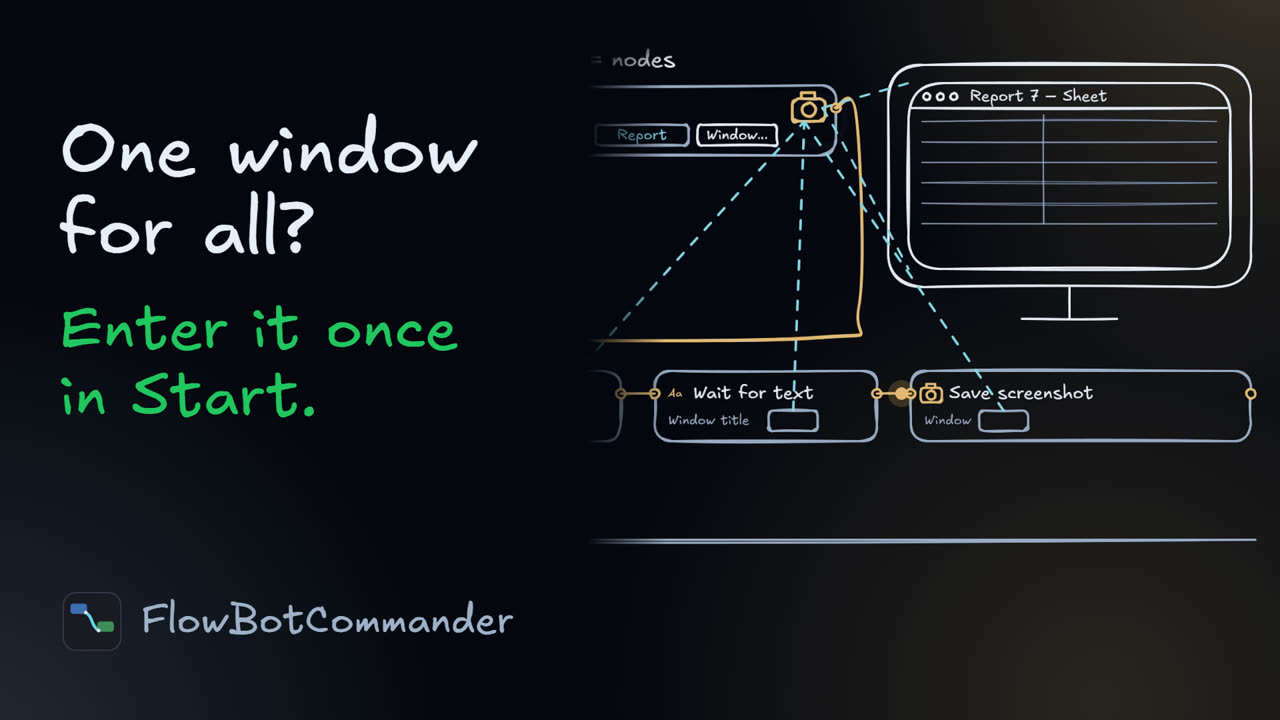
| Target window (global) | Window | — | Window title (or part of it) for the WHOLE workflow. Every node whose own window field is EMPTY uses this one — so you set the target program once instead of in every node. Nodes with their own entry keep it. Example: Notepad |
| Match type (global) | Choice: enthält, beginnt mit, endet mit, ist exakt, Regulärer Ausdruck | enthält | How the global target window title is compared. Applies to every node that falls back to the global target window. enthält — Titel enthält den Text (empfohlen) beginnt mit — Titel fängt mit dem Text an endet mit — Titel hört mit dem Text auf ist exakt — Titel ist genau der Text Regulärer Ausdruck — Profi: z. B. ^Doc.*Editor$ (beginnt mit Doc UND endet mit Editor) |
| Global variables | Text (multi-line) | — | One assignment per line (name=value). They are set once at the start and are then available everywhere as {name} in text fields — including in profiles loaded via 'Run profile'. A value a calling workflow has already set is NOT overwritten. Example: ziel=Notepad wartezeit=500 |
 Play video1:27
🧪 Dry run Free
Turns dry run on/off: Move mouse, Click, Drag, Sweep area, Scroll, Press key and Type text then only log what they would do, also in profiles the flow calls.
Inputs: in (flow) · Outputs: next (flow)
| Field | Type | Default | Meaning |
|---|---|---|---|
| Dry run | Yes/No | on | On = the action nodes (move mouse, click, drag, sweep area, scroll, press key, type text) only log the planned action, also in profiles this flow calls. Off = normal flow with real input. In a called profile, this node's setting applies to that profile from there on. |
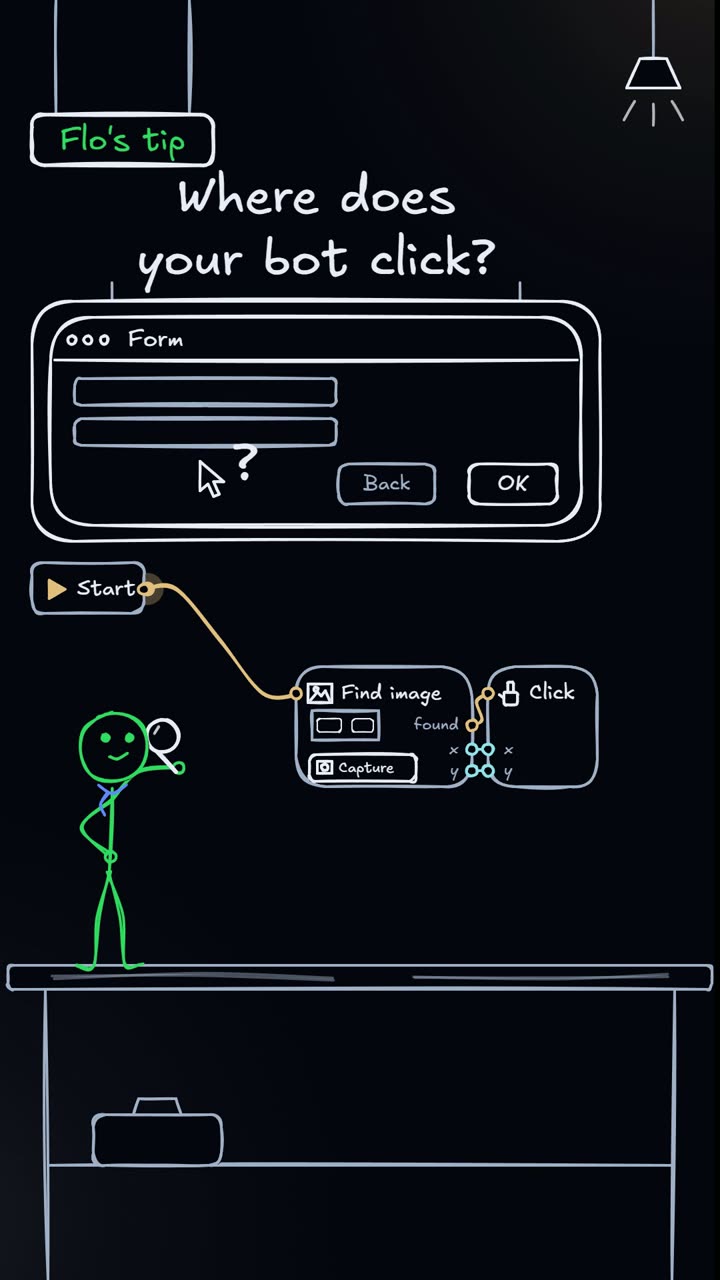 Play video0:36
⏱ Wait Free
Pauses the flow for a fixed or random duration (ms/s/min/h).
Inputs: in (flow) · Outputs: next (flow)
| Field | Type | Default | Meaning |
|---|---|---|---|
| Duration | Number (≥ 0) | 1000 |
How long to wait (choose the unit on the right). With 'Random', the lower bound. |
| Unit | Choice: Milliseconds, Seconds, Minutes, Hours | Milliseconds | Time unit of the duration. Milliseconds, seconds, minutes or hours. Milliseconds — 1000 ms = 1 second |
| Random duration | Yes/No | off | On = waits a random time between 'Duration' and 'up to', chosen anew each time. |
| up to | Number (≥ 0) | 3000 |
Upper bound of the random wait time (same unit as 'Duration'). Only visible if Random duration = on. |
🕰 Wait until time of day Subscription
Waits until a given time of day — e.g. until 03:00. If that time has already passed today, it waits until tomorrow. The panic key aborts at any moment.
Inputs: in (flow) · Outputs: next (flow), timed out (flow), gewartet
| Field | Type | Default | Meaning |
|---|---|---|---|
| Time of day | Text | 03:00 |
In HH:mm. {Variables} are replaced. Example: 03:00 |
| At most (hours) | Number (0–168) | 24 |
Safety limit: if the wait would be longer, the flow takes the „timed out“ branch instead. 0 turns the limit off. |
🪝 Call webhook Subscription
Calls a web address — with no content (just trigger it) or with a value as text or a JSON field. For Home Assistant, IFTTT, n8n or your own script. The reply comes back as a data output. {Variables} are replaced.
Inputs: in (flow), value · Outputs: next (flow), fehler (flow), antwort, status
| Field | Type | Default | Meaning |
|---|---|---|---|
| Address | Text | — | The full web address to call. {Variables} are replaced, so the address may contain a value as well. Example: https://example.com/api/hook/abc123 |
| Method | Choice: POST (send), GET (fetch), PUT (replace), DELETE (remove) | POST (send) | How the address is called. If in doubt, POST — that is what most webhooks expect. POST (send) — The usual choice for webhooks. GET (fetch) — Only fetches — usually without content. PUT (replace) — Some interfaces expect this instead of POST. DELETE (remove) — Rarely needed — only if the interface asks for it. |
| Content | Choice: No content (just trigger), Value as JSON field, Value as plain text, Value is the finished body | No content (just trigger) | Whether a value travels along — and in what form. Without content the call is a pure trigger. That is enough for many services. No content (just trigger) — Only the call itself counts — nothing is sent along. Value as JSON field — Sends {"field":"value"} — the form most automation services expect. Value as plain text — The value is sent as it is, without any wrapping. Value is the finished body — For your own JSON: whatever is in the field is sent unchanged. |
| Field name | Text | wert |
Name of the JSON field the value is placed in. The receiving service prescribes it. Example: valueOnly visible if Content = „Value as JSON field“. |
| Value | Text (multi-line) | — | What travels along. {Variables} are replaced. Leave empty to use the value from the data input instead — that way the same call can pass on a measured number. Example: Bot finished: {treffer} hitsOnly visible if Content = „Value as JSON field“ or „Value as plain text“ or „Value is the finished body“. |
| Extra headers | Text (multi-line) | — | One per line as „Name: value“ — usually a token for services that require a login. Lines without a colon are ignored. Example: Authorization: Bearer abc123 |
| Time limit | Integer (1–300, s) | 15 |
How long to wait for a reply before the call counts as failed. The panic key stops it at any time regardless. |
 Play video1:46
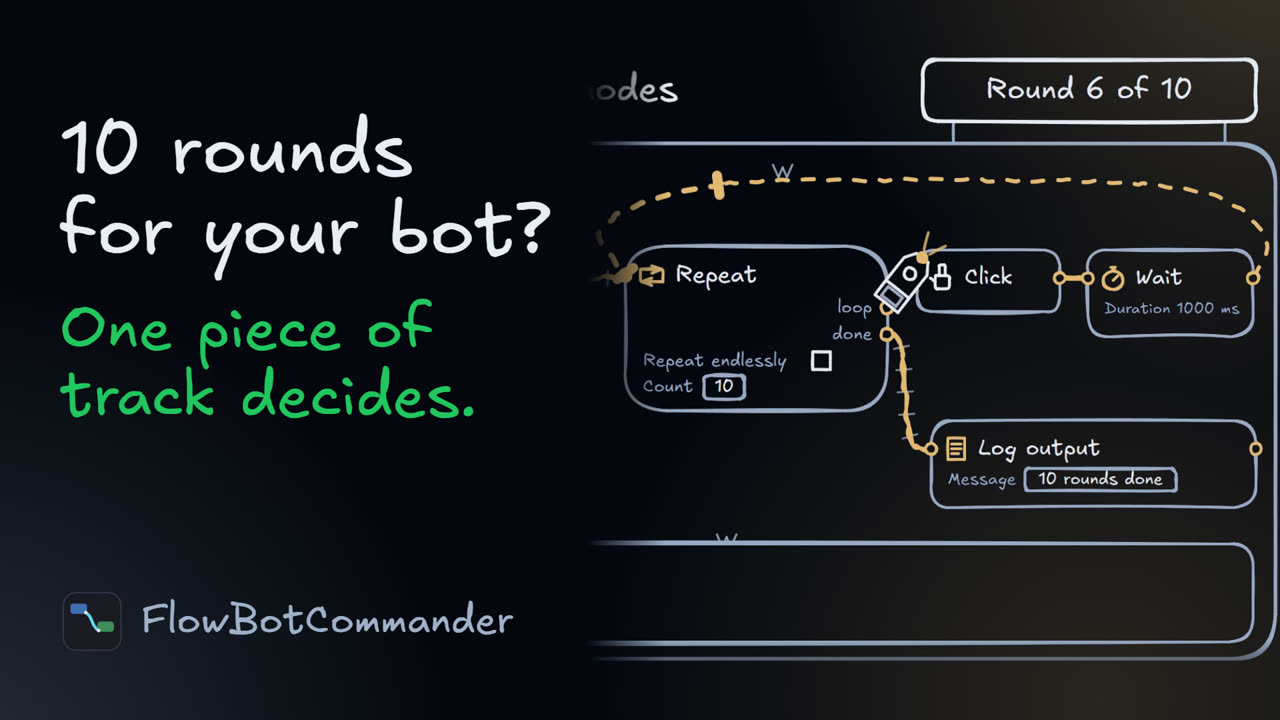
🔁 Repeat Free
Runs 'loop' N times, then 'done'. Wire the body back to the input.
Inputs: in (flow) · Outputs: loop (flow), done (flow)
| Field | Type | Default | Meaning |
|---|---|---|---|
| Repeat endlessly | Yes/No | off | The loop keeps running until you stop the bot (panic key or Stop), the runtime limit ends it or an “End bot” node fires. The usual setting for a bot that should simply keep going. |
| Count | Integer (≥ 1) | 3 |
How many times the 'loop' branch runs before 'done' follows. Only visible if Repeat endlessly = off. |
 Play video1:31
🔁 For each cell Subscription
Loops over all cells of a matrix (optionally only those with a label) → row, column, value, x, y per pass.
Inputs: in (flow), matrix · Outputs: each (flow), done (flow), row, column, value, x, y, index, count
| Field | Type | Default | Meaning |
|---|---|---|---|
| Only cells with label | Text | — | Empty = every cell. Several labels separated by |, e.g. red|yellow. Example: free |
| Filter | Choice: with the label, all other cells, label contains the text | with the label | Whether the cells WITH the label, all OTHER cells, or every cell whose label CONTAINS the text are visited. |
| Order | Choice: row by row: left→right, top→bottom, row by row: right→left, top→bottom, row by row: left→right, bottom→top, row by row: right→left, bottom→top (backwards), column by column: top→bottom, left→right, column by column: bottom→top, left→right, column by column: top→bottom, right→left, column by column: bottom→top, right→left, diagonal: top left → bottom right, diagonal: top right → bottom left, diagonal: bottom left → top right, diagonal: bottom right → top left, random | row by row: left→right, top→bottom | Order in which the cells are visited: row or column wise from any side, diagonal as a wave starting at a corner, or random. |
| Case-sensitive | Yes/No | off | Off (default): 'Red' and 'red' are the same label. |
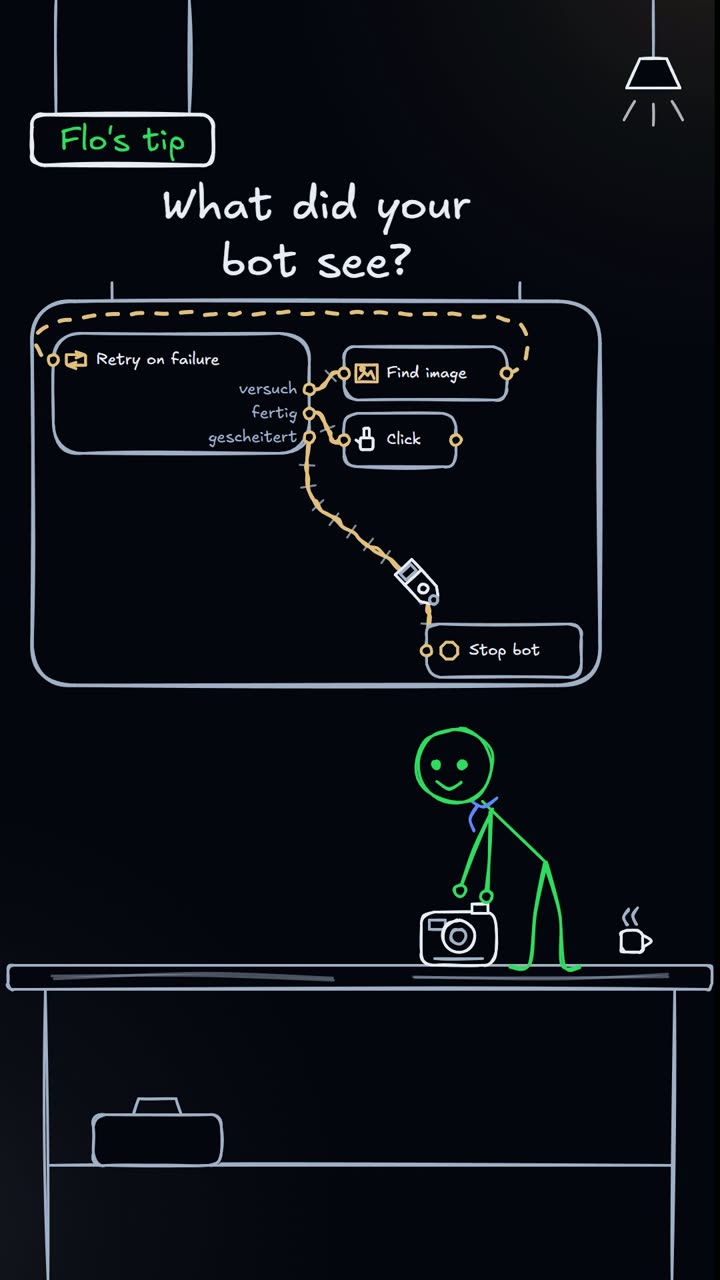
🔂 Retry on failure Free
Repeats the 'versuch' branch on failure with growing delay. After maxVersuche, 'gescheitert' follows. Both the success AND failure return paths of the section must lead back to the input. The data input 'erfolg' (true = done) distinguishes them. On success, 'fertig' follows.
Inputs: in (flow), erfolg · Outputs: versuch (flow), fertig (flow), gescheitert (flow)
| Field | Type | Default | Meaning |
|---|---|---|---|
| Maximum attempts | Integer (≥ 1) | 3 |
How many times the 'versuch' branch is started in total before 'gescheitert' follows (the first pass counts). |
| Base delay | Integer (≥ 0, ms) | 500 |
Base wait time before another attempt. The actual delay grows depending on the backoff strategy. There is no wait before the first attempt. |
| Backoff strategy | Choice: constant, linear, exponential | exponential | How the delay between attempts grows. constant — Always the base delay (base delay × 1). linear — Base delay × repeat number (1×, 2×, 3× …). exponential — Base delay × 2^(repeat−1) (1×, 2×, 4×, 8× …). |
| Random extra | Integer (≥ 0, ms) | 0 |
Random extra from 0 up to this value (milliseconds) added to every delay — prevents lockstep with multiple bots. |
 Play video0:39
🔄 Repeat while Free
Repeats branch 'loop' (feed the body back) while the condition is true — or false, as you choose. Otherwise 'done'.
Inputs: in (flow), condition · Outputs: loop (flow), done (flow), bedingung
| Field | Type | Default | Meaning |
|---|---|---|---|
| Repeat while the condition is | Choice: is true, is false | is true | Which value keeps the loop running. Both directions are equally common: „repeat while the button is there“ and „repeat while it is not there yet“. Without this choice you had to insert a negation just for the second case. is true — Runs as long as the condition is met — the usual case. is false — Runs as long as the condition is NOT met — for waiting until something finally appears. |
😴 Random pause Free
Waits a random time (min..max seconds), optionally only with a certain probability. This makes pauses sometimes shorter, sometimes longer, instead of always the same length.
Inputs: in (flow) · Outputs: next (flow)
| Field | Type | Default | Meaning |
|---|---|---|---|
| Minimum (s) | Number (≥ 0, s) | 2 |
Shortest pause length in seconds. |
| Maximum (s) | Number (≥ 0, s) | 8 |
Longest pause length in seconds. |
| Probability | Number (0–100, %) | 100 |
Chance to actually pause each time (100% = always, 30% = only about a third of the time). |
⏲ Random wait Free
Pauses for a random duration between minMs and maxMs.
Inputs: in (flow) · Outputs: next (flow)
| Field | Type | Default | Meaning |
|---|---|---|---|
| Minimum | Integer (≥ 0, ms) | 300 |
Shortest wait time in milliseconds. |
| Maximum | Integer (≥ 0, ms) | 900 |
Longest wait time. Each time, a random duration between minimum and maximum is chosen. |
✅ Assertion Free
Checks a value against an expectation. Reacts in a defined way on violation.
Inputs: in (flow), value · Outputs: ok (flow), verletzt (flow)
| Field | Type | Default | Meaning |
|---|---|---|---|
| Comparison | Choice: is true, equals, not equal, is greater than, is less than, is not empty, is in range | is not empty | How the input value is checked against the expectation. If the assertion is violated, the chosen reaction applies. is true — Value yields a truth value 'true' (true, 1, yes …) equals — Value matches the expectation (number or text comparison) not equal — Value differs from the expectation is greater than — Numeric value is greater than the expectation is less than — Numeric value is less than the expectation is not empty — Value is not null/empty string and (if a number) not 0 — catches empty OCR results is in range — Numeric value is between 'min' and 'max' (inclusive) |
| Expectation | Text | — | Comparison value for 'equals', 'not equal', 'greater', 'less'. For number comparisons it is read as a number. Example: 397000000Only visible if Comparison = „equals“ or „not equal“ or „is greater than“ or „is less than“. |
| Minimum | Number | 0 |
Lower bound (inclusive) for the range comparison. Only visible if Comparison = „is in range“. |
| Maximum | Number | 100 |
Upper bound (inclusive) for the range comparison. Only visible if Comparison = „is in range“. |
| Reaction on violation | Choice: branch only, log, Pause run, End run | log | What additionally happens when the assertion is violated. In all cases (except 'end run') the 'verletzt' branch follows. branch only — Silent: just follow the 'verletzt' branch, no message log — Write a warning to the log and follow the 'verletzt' branch Pause run — Log a warning, pause the run, and follow the 'verletzt' branch End run — Log a warning and end the entire bot run |
📈 Is the bot making progress? Free
Watches one value across several passes. If it does not change N times in a row, the flow continues via 'stuck' — for the countermeasure. Otherwise 'continue'.
Inputs: in (flow), value · Outputs: weiter (flow), stuck (flow), unchanged for, last value
| Field | Type | Default | Meaning |
|---|---|---|---|
| Value to watch | Text | — | What should keep changing while the bot works: a score, a level, a counter, an OCR reading. Wire it into the data input or put a reference like {Counter.value} here. Example: {Read text.text} · {Counter.value} |
| Unchanged for … passes | Integer (1–1000) | 3 |
How often the value may be identical before the flow takes the 'stuck' branch. 3 is a good start. Raise it if the value only changes now and then. |
| Report only once | Yes/No | on | After the 'stuck' branch the counter starts again — so the countermeasure gets its chance before the next report. Switch off to have every following pass report as well. |
⏭ Only now and then Free
Lets only every Nth pass (or at most every X seconds) continue via 'now', everything else via 'skip'.
Inputs: in (flow) · Outputs: now (flow), skip (flow), pass
| Field | Type | Default | Meaning |
|---|---|---|---|
| Measure by | Choice: Every Nth pass, At most every X seconds | Every Nth pass | Count passes through this node, or measure the time since it last let the flow through. Every Nth pass — Counting, independent of time. At most every X seconds — Regardless of how often the flow passes by. |
| Every … passes | Integer (1–100000) | 5 |
5 = the flow continues via 'now' on every fifth pass. The four in between go via 'skip'. Only visible if Measure by = „Every Nth pass“. |
| Interval | Number (0–86400, s) | 30 |
Minimum time between two passes through 'now'. Anything arriving earlier goes via 'skip'. Only visible if Measure by = „At most every X seconds“. |
| Let the first pass through | Yes/No | on | On: the very first pass already counts as due — useful when the task should run once at the start. Off: the flow waits for the first full interval. |