OCR reads wrong
Empty text, garbled characters, 11 instead of 1 — the knobs of "Read text (OCR)" and "Number from text" in the right order.
Text recognition is statistics, not reading. It gets good when you give it a clean image — and catch the rest with "Number from text" and a little tolerance.
1. First look at what is read
 Play video3:28
A Log output with [{Read text (OCR).text}] after the OCR node. The square brackets show whether the text is
empty or contains spaces.
2. Empty text
- Check the region: if it is 0/0/0/0, the node reads the whole window — usually too much. Drag tightly around the text with Region….
- Region slipped: window moved → use an anchor.
- Upscaling from 2x to 3x — small text needs more pixels. (Very large upscaling can also hurt — empty at 3x but something at 2x? Then stay at 2x.)
- Toggle Invert: light text on dark background → on, dark text on light background → off.
3. Garbled characters
Grove L"; 1 instead of Grove Lv. 1 is normal: ornate game fonts return nonsense for punctuation and
lower-case letters, but usually the right thing for digits.
- If you only need the number: Number from text after it (point 4).
- If you need a word: Check text with "contains" instead of "equals" —
Victoryis found inVictory!andVictory.. - Contrast 1.5 and Threshold → automatic (Otsu) help with outlined or shadowed text.
4. Wrong number
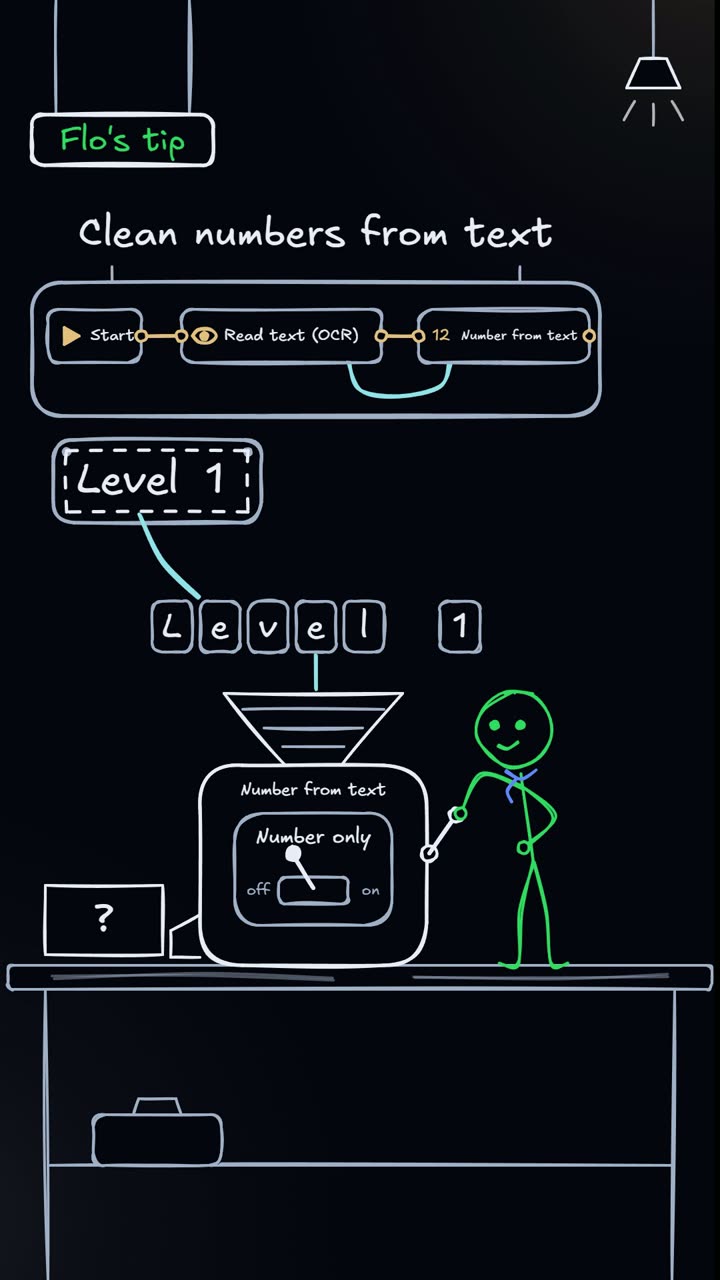 Play video0:41
| Result | Cause | Remedy |
|---|---|---|
11 instead of 1 |
Number only (OCR fix) is on, but the region contains letters (every "l" becomes a 1) | turn Number only off — or set the region so only the number is in it |
0 |
no digit found, or minimum/maximum value triggers | check the log output (point 1). Loosen the limits |
1250 instead of 1.25 |
Decimal number off | turn Decimal number on |
7 instead of 1,250 |
region cuts off digits | wider region |
| value jumps between rounds | OCR reads right sometimes, wrong sometimes | discard outliers with Minimum/Maximum value. A plausibility check in the flow (Compare number) |
5. Too slow
OCR takes noticeable time. Keep the region small, upscaling 2x, only read when necessary (e.g. once per round instead of per click).
Alternative: don't read at all
Often it works without OCR: a bar can be measured with Read bar, a state recognised with Visible? or Pixel color, a level recognised by an image. OCR only where a number or a word is really needed.