Variables and references
Remember values and use them anywhere — {name}, {Node.output}, the variables panel, calculating in number fields and "Compose text".
After this article you can use every value the bot knows in every field — and make new values from them without a single line of code.
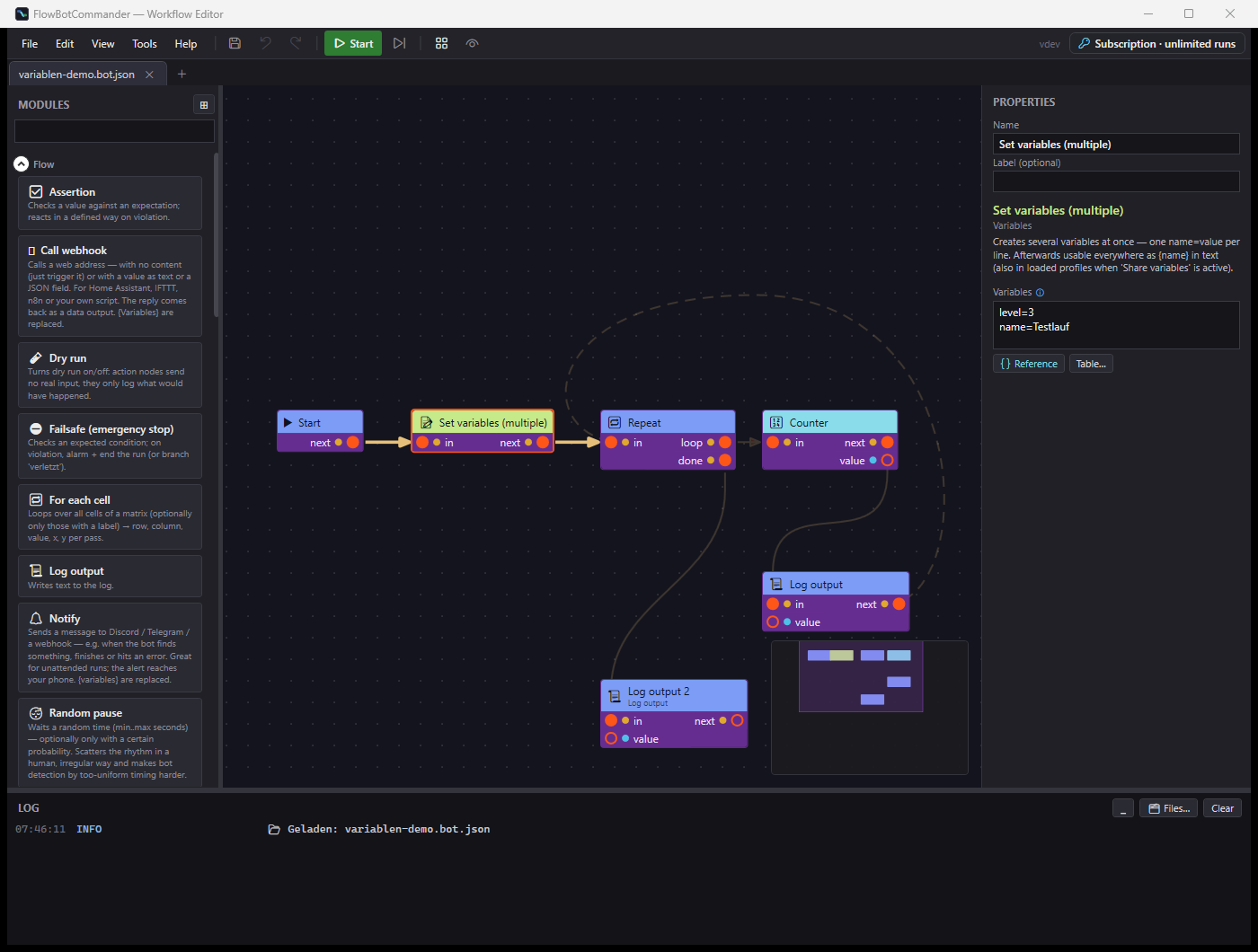
Download the example bot — it contains a counter and therefore runs with the subscription.
 Play video1:30
Three kinds of references
| Notation | Stands for | Example |
|---|---|---|
{name} |
a variable you have set | {level} |
{Node.output} |
a data output of a node (node name, dot, technical port name) | {Find image.x}, {Counter.wert}, {Number from text.value} |
{startFenster}, {bildschirm} |
built-in placeholders (see Window and image source) |
References work in every field: text, number, window, file name. During the run the reference is replaced by the current value. The { } button next to a field lists everything that can be inserted. This expressly includes the case fields of the case switch and the value switch: a reference may sit there, so the cases themselves can come from variables or from another module's result.
Setting variables
- Set variables (multiple): one
name=valueper line — the fastest way to create several start values. The Table… button next to the field opens a table with name and value where you add or remove rows without typing the format. The value may itself contain references (target={Find image.x}). - Set variable: one variable from a data output (blue line into the value input) — or without a cable via
the Value field:
5,Helloor{Level.wert}. Numbers are stored as numbers. The name can be picked from the list of all known variables. Below it the current value is shown (while the bot runs) or a hint if the variable is not yet set anywhere. - Start node → Global variables: values that apply from the start — also in bots loaded via "Run profile".
Variables are text. In number fields they are read as numbers if they are one.
The variables panel
View → Variables opens a panel on the right with all values of the bot: variables, node outputs, anchors and counters. During the run you see the live values. Values from a failed pass are marked. A double-click inserts the reference into the last focused field, right-click copies it. The column "used in" counts where a reference is used.
Fields containing a reference are highlighted cyan in the properties panel.
Calculating in number fields
 Play video0:37
Every number field accepts a calculation instead of a fixed number:
10*{level}
{Counter.wert}+1
round({Find image.x}/2)
max(1, {lives}-3)
Allowed: + - * / % ^, brackets and round, floor, ceil, abs, min, max, sqrt. This is how, for
example, the repeat count grows with the level (see
Clicker Heroes: read the level). An invalid formula is reported once in the
log. The field then takes its default value.
Compose text
The Compose text node (Data) builds one text from several values — as a free template with placeholders or as
JSON. Via Fields… you create inputs with name and type (text, number, yes/no, list). Each becomes a data input
and a field that accepts references. Typical: build a log line {time};{level};{gold} and append it with
"Write file".
Counter
Counter (Data, subscription) counts up, sets or reads a named counter. The output wert is available everywhere as
{Counter.wert}. With persistent the count survives a restart of the bot.
If it doesn't work
- The reference appears literally in the text (
{level}): the variable has not been set yet — the "Set variables" node must come before the use in the flow. The variables panel shows whether it exists. {Find image.x}is 0: the node has not found anything in this run yet. References return the value of the last pass of that node.- After renaming a node: all references are adjusted automatically — except in texts you have written to external files.