Loops and conditions
Repeat, Repeat while, Branch, Compare number, Case distinction — the building blocks with which a bot makes decisions and does things several times.
After this article you build flows that don't just run stubbornly from left to right but react: "until …", "if …, then …", "depending on what is on the screen".
 Play video1:31
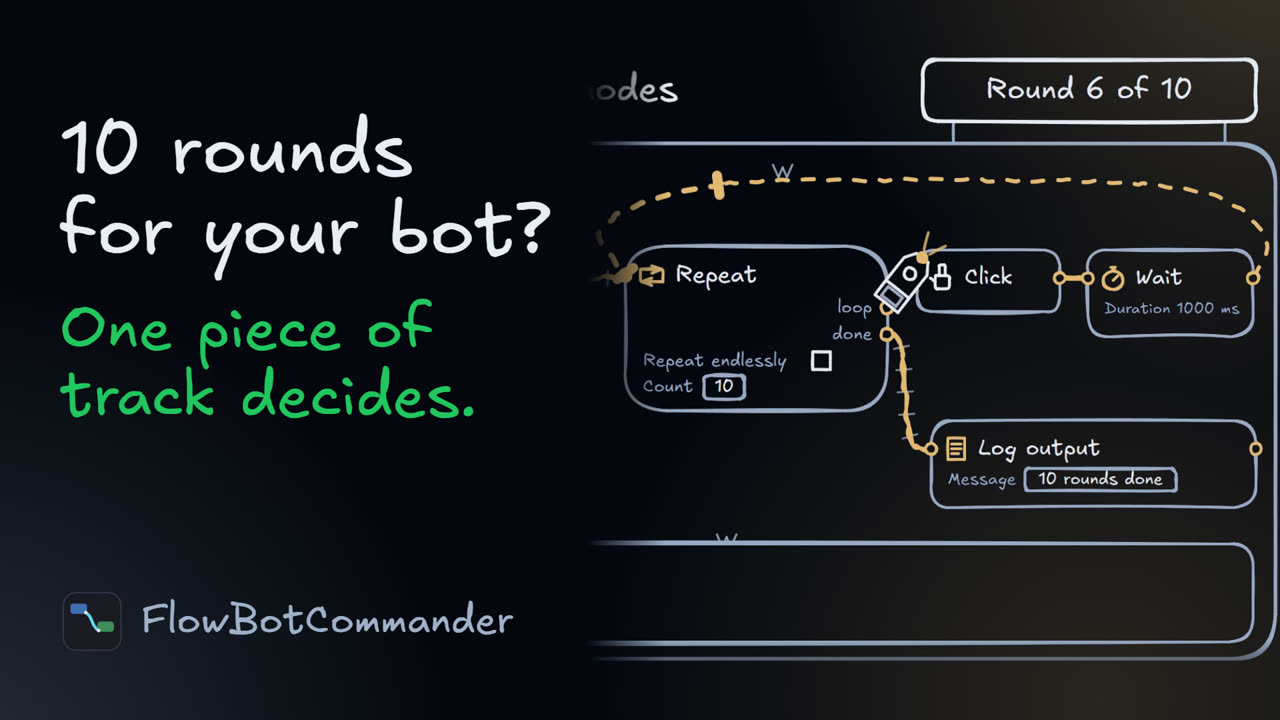
Repeat: fixed count
Repeat has two outputs: loop is run as often as Count says, then the flow continues at done. You build the loop body at the "loop" output and lead the last node back into the input of "Repeat" — the dashed line.
Repeat ─loop→ Click → Wait ─┐
   ↑                        │
   └────────────────────────┘
        ─done→ Log output
Count may calculate: 10*{level} — see Variables and references.
Repeat while: with a condition
Repeat while checks its data input condition (yes/no) before every pass and runs as long as it is true — or
optionally as long as it is false. The condition comes from a comparison node, such as Compare number
({Counter.wert} less than 100) or Visible?.
Endless — with a safety net
 Play video1:34
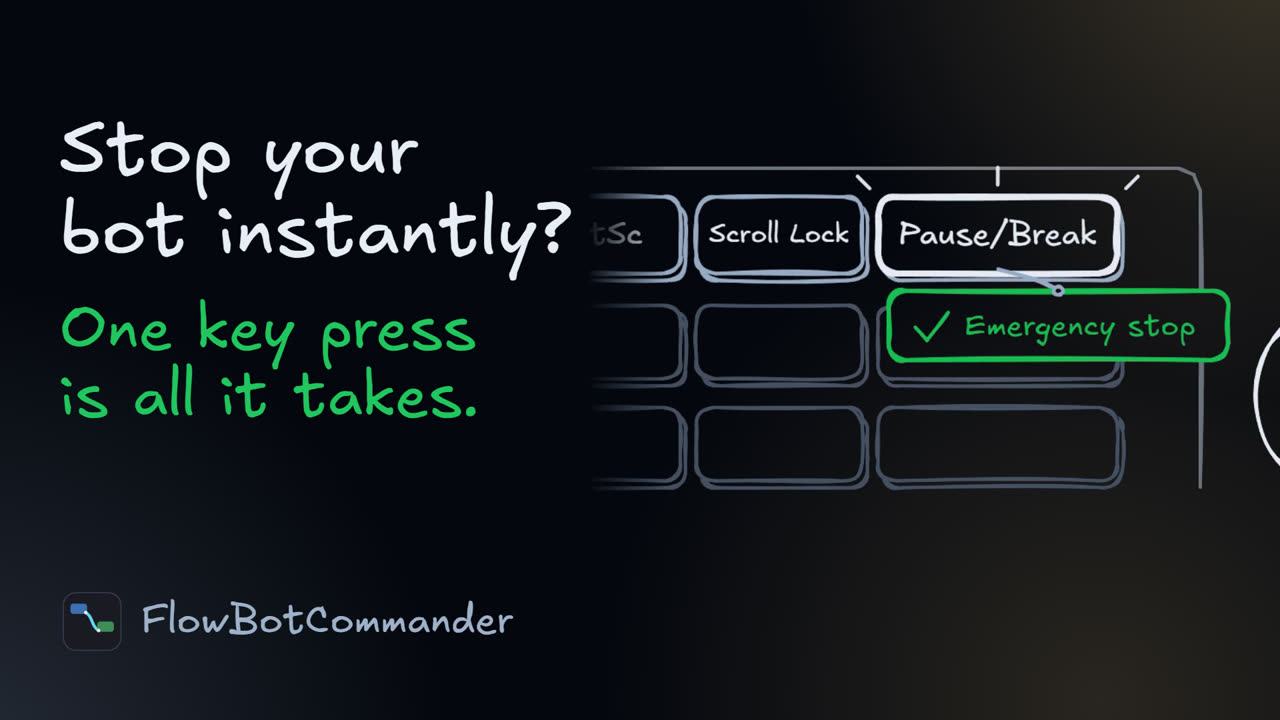
A return without "Repeat" (e.g. "Wait → Find image → … → back to Wait") runs endlessly. That is intended for auto-clickers — then a Runtime limit belongs right after Start, and you know the emergency-stop key.
Branch (If)
 Play video1:24
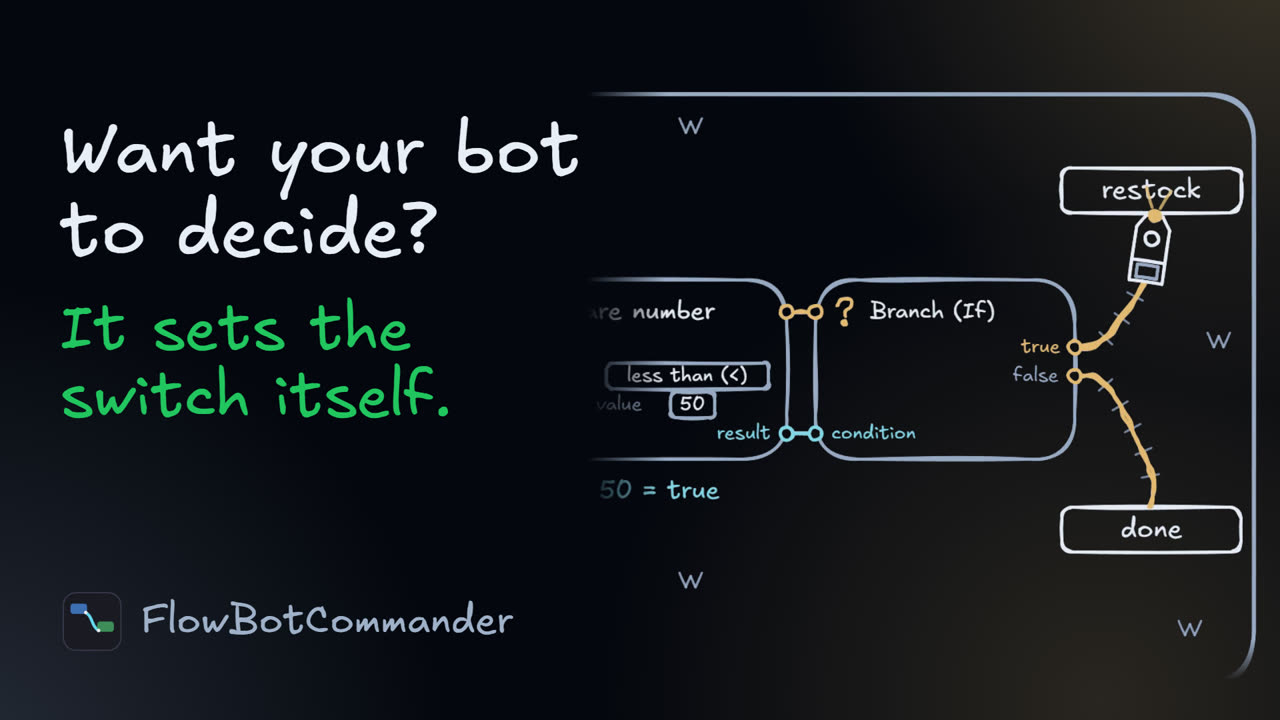
Branch (If) has a data input condition and the outputs true / false. The condition comes for example from:
| Node | checks | Example |
|---|---|---|
| Compare number | input a against the comparison value (or input b) | {Number from text.value} ≥ 10 |
| Check text | whether a text contains / equals a word — or matches a pattern (RegEx) | {Read text (OCR).text} contains "Victory" |
| Visible? | whether image, colour or text is visible in the region | buy button blue? |
| Logic gate (AND/OR) | two conditions together | visible AND gold ≥ 50 |
| Not (NOT) | inverts a condition |
Many perception nodes branch by themselves though — "Find image" has found / not found, "Wait for image" ok / timed out. You only need a branch when you compare values.
Case distinction: several cases at once
Case distinction (Case/Default) checks its cases in turn (a new node has six, with Number of cases or the + Case / − Case buttons up to 50) — each case is a colour, an image or a text in a region — and branches at the first match to fall1 … fallN, otherwise to default. Typical: "Which screen is open right now? Main menu / battle / shop / error dialog" — and a separate branch per case. With Number of cases you set how many cases the properties panel shows.
Value switch does the same with a value instead of the screen: {level} = 1 → fall1, = 2 → fall2.
Retry on failure
 Play video0:39
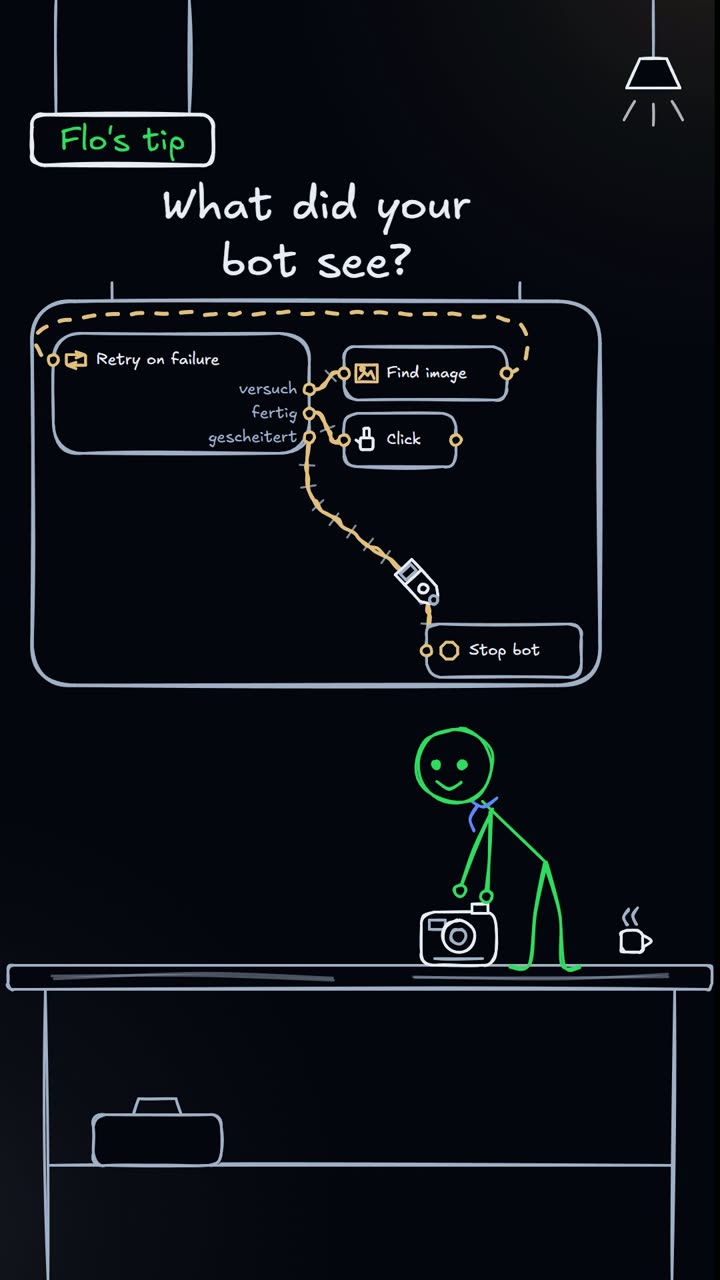
Retry on failure wraps a shaky step: the output versuch (attempt) leads into the section whose success and failure paths run back into the input. The data input erfolg (success, true = done) decides. On failure it tries again with a growing pause, up to the maximum — then gescheitert (failed), otherwise fertig (done). Good for loading times and dialogs that appear sometimes earlier, sometimes later.
If it doesn't work
- The loop runs only once: the return does not end in the input of "Repeat" but in another node. Check the dashed line.
- "Branch" always takes the same output: the condition is not connected (then "false" applies) — or it
compares text with a number. Check with a log output
{Compare number.result}. - The bot is stuck in an endless loop: press Pause, then add a runtime limit.